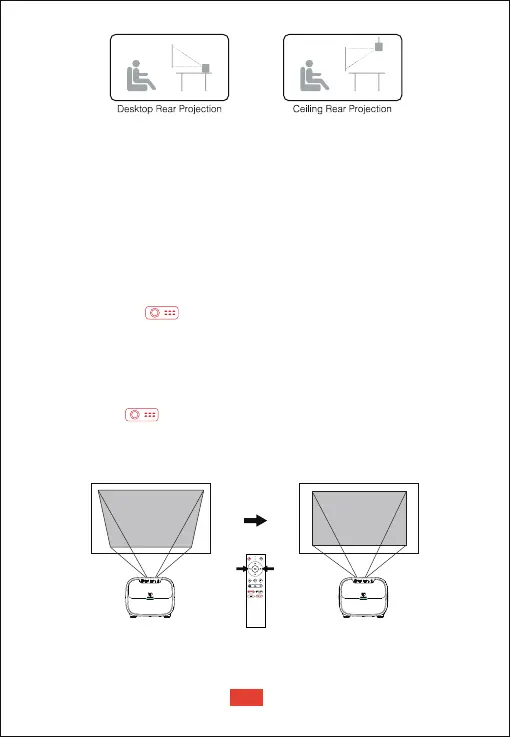
Zoom in/out
Use the remote control to resize the picture size from 50% to 100%
without moving the projector.
This Projector support Auto keystone correction, digital keystone
correction, and remote four-point keystone correction.
When fixing your projector in a place, use digital keystone correction.
Press the button to go to projector homepage, select [Settings]
-> [Projection Settings] -> [Vertical Correction] / [Horizontal Correction],
press left or right button on the remote control to adjust.
• Digital Keystone Correction
Vertical Correction
Keystone Correction
When the projector image is distorted, it will perform auto keystone
correction to restore the image to a rectangle. If you find the auto
keystone correction does not work as well as before, follow the
instructions below to optimize it.
① Press the button to go to projector homepage, into
[Settings] -> [Projection Settings] -> [Calibration Settings].
② Select [Keystone Benchmark Correction], and adjust the projector
for the correct image.
• Auto Keystone Correction
EN
09


 To Next Page