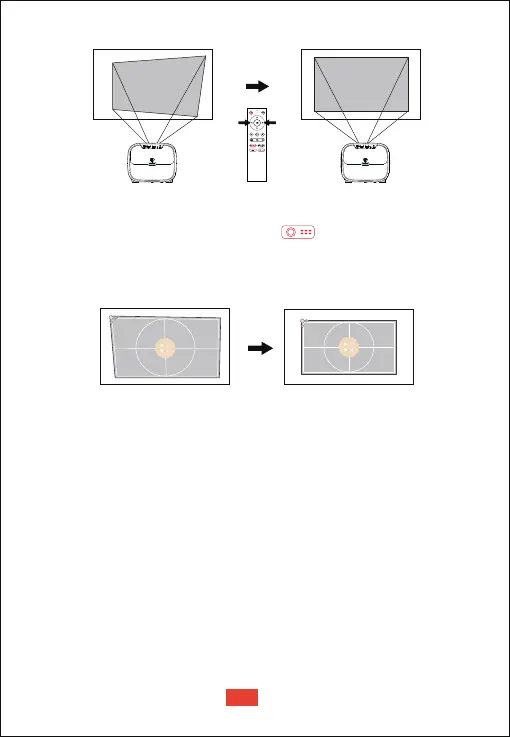
If the projected image is stretched or distorted along both axes due
to the angle of the projection, press the button to go to
projector homepage, and select [Settings] -> [Projection Settings]
-> [Four point Correction], choose the corner you want and press left
or right button on the remote control to adjust.
• Four Point Correction
Four Point Correction
To restore the default settings, select Keystone Correction Reset and
press “OK”.
• Keystone Correction Reset
Other Settings
Screen Saver
Select an on-screen display language.
Language Settings
Reset your device and restore factory setting.
Restore Factory Settings
Set the shutdown timer for the projector.
Screensaver Timeout Shutdown
The screen saver automatically starts whenever your projector sits idle
for the default time. You could change the default time or turn it off.
Horizontal Correction
EN
10


 To Next Page