Get Started
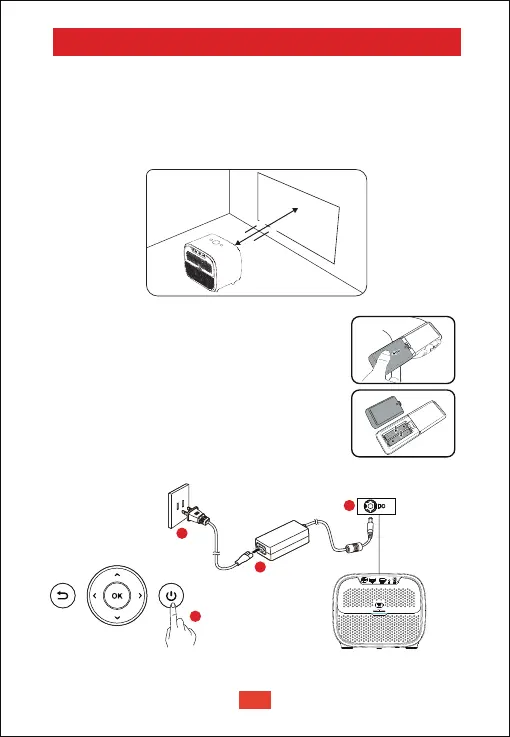
Placement
① Place the projector right towards the projection surface to get a
rectangle picture.
② The distance between the projector and the projection surface
determines the picture size.
③ Check the projection distance and screen size on the specifications part.
Prepare the Remote Control
Install the remote control batteries (batteries not
included).
① Press and open the battery cover, as illustrated.
② Install two AAA batteries. Make sure that the
positive and negative ends are positioned
correctly, as illustrated.
③
④ The distance between the remote and the projector
should not exceed 10 m / 33 ft.
Place the battery cover back until it clicks into place.
• Press the power button once to power on.
• Press the power button twice to power off.
Power On
4
2
1
3
EN
05


 To Next Page