You can also manually focus through the remote control. Press the button
on the remote control, and press the or button, until the picture is clear.
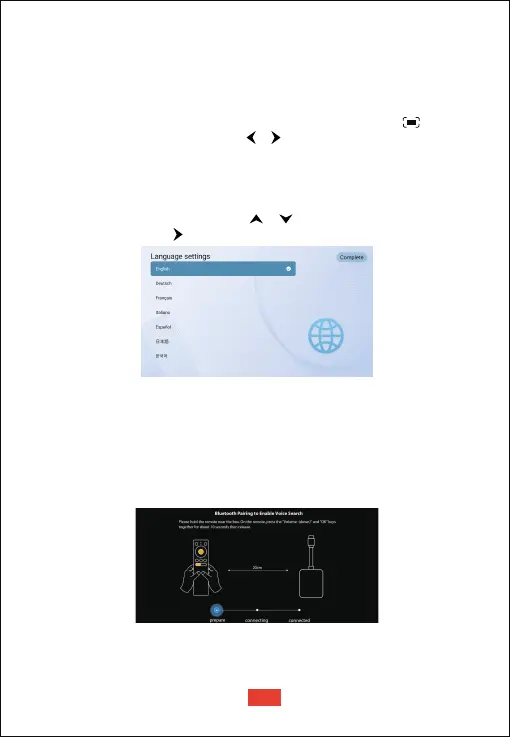
When start the projector for the first time, you will be guided to a page to
select language, use remote control or to select your language. Then
press the right button and select "Complete" to enter the next page.
Focus
Place the projector towards a suitable projection surface or wall, the projector
will automatically focus the image.
After selecting a language, you will be at a Bluetooth remote pairing page,
follow the instructions on the page.
① Please hold the remote near the projector.
② Press the [Volume-] and [OK] keys together for about 10 seconds.
③ When the screen shows
"Connected", your remote LED indicator
turns blue, and the remote control is paired
Select Your Language
Pair Remote Control in Bluetooth Mode
Auto Focus
Manual Focus
Note:The projection distance must between 1.1m to 4.1m.
EN
06


 To Next Page