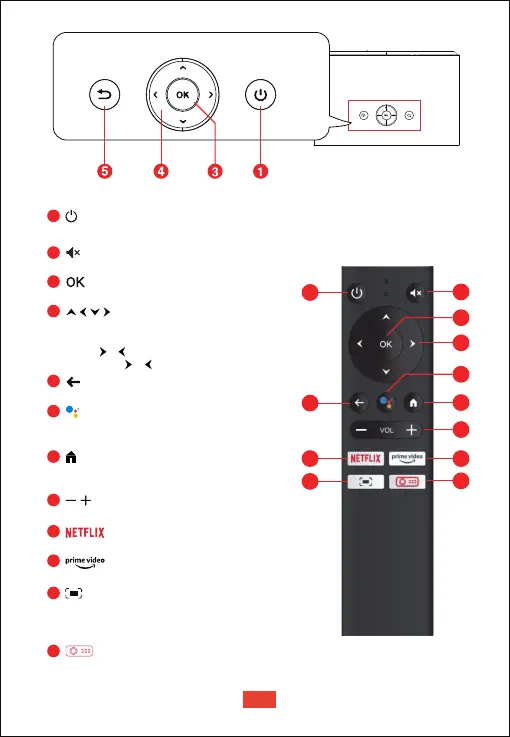
Mutes the projector’s audio
Press to confirm a selection or entry
Navigate menus or adjust the selected content
When playing videos/music:
Press / button to volume up / down
Long-press / button to fast forward / backward
Return to the previous menu
Activate Google assistant, Google's
voice-powered virtual assistant service
Press the button for once, go to
Android TV homepage
Volume down / up
Preset Netflix button
Preset Prime Video button
• Adjust the focus for the projector
• Long-press to launch the projector's on-screen
settings menu
Press the button once, go to projector Homepage
1
2
3
4
5
6
7
8
9
10
11
12
• Press the button once: power on
• Press the button twice: power off
3
4
7
8
10
12
9
11
2
6
5
1
EN
04


 To Next Page