8
4 GETTING STARTED
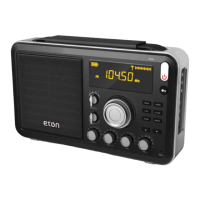
E5 OWNER’S MANUAL
battery leakage warranty program.
CAUTION! Never attempt to recharge non-rechargeable batteries!
MORE IMPORTANT BATTERY USE INFORMATION
• When using batteries for long periods of time, disconnect the AC
adapter/charger.
• Do not attempt recharging non-rechargeable batteries. Only
recharge rechargeable Ni-MH batteries.
• Replace or recharge batteries when the sound becomes weak and
distorted or the power indicator indicates depleted.
• Stations stored in memory are permanently stored. However, when
power is removed or batteries deplete, the clock reverts to the
default 0:00 setting.
• The clock time will not be lost if batteries are replaced quickly –
within 3 minutes of removal.
POWERING THE E-5 WITH THE INCLUDED
AC ADAPTER/CHARGER
To power the E-5 with the included AC Adapter/Charger, rst plug
it into an AC wall outlet (also called ‘mains’), then plug the tip into
the 6V socket (48) on the lower left side of the E-5. Remove any
non-rechargeable batteries from the E-5 while using the included AC
Adapter/Charger.


 To Next Page