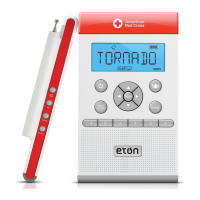
ZONEGUARD+ OWNER’S MANUAL
13
GET THE WEATHER
CHOOSE YOUR CHANNEL
ZoneGuard+ provides weather reports and advisories direct
from the National Oceanic and Atmospheric Association
(NOAA) weather band (WB) channels.
1. Press <ON> to turn radio ON, then press <WB>
(on left side).
2. Press <
> or < > to scroll through NOAA weather
channels 1–7. The clearest is your local NOAA channel.
3. Once your channel is set, you can listen to the weather
anytime by simply pressing <ON> to turn radio ON, and
selecting <WB> (on left side).
The 7 NOAA weather channels are on the following
frequencies:
• Channel 1 162.400 MHz
• Channel 2 162.425 MHz
• Channel 3 162.450 MHz
• Channel 4 162.475 MHz
• Channel 5 162.500 MHz
• Channel 6 162.525 MHz
• Channel 7 162.550 MHz


 To Next Page