ZONEGUARD+ OWNER’S MANUAL
12
ADVISORY (Green Light)
An ADVISORY is issued when a hazardous weather
or hydrologic event is occurring, imminent or likely.
ADVISORIES are for less serious conditions than
WARNINGS, that cause signicant inconvenience and if
caution is not exercised, could lead to situations that may
threaten life or property.
ENABLE/DISABLE S.A.M.E. AUDIO ALERTS
S.A.M.E. provides many types of alerts—from tornados
and hurricanes to ash oods and tsunami warnings.
ZoneGuard+ gives you the option to selectively enable/
disable the audio (siren/voice) that accompanies these
alerts, with the exception of tornado and hurricane
warnings. Please do so at your own risk/discretion. When
disabled, ZoneGuard+ will still display alert messages.
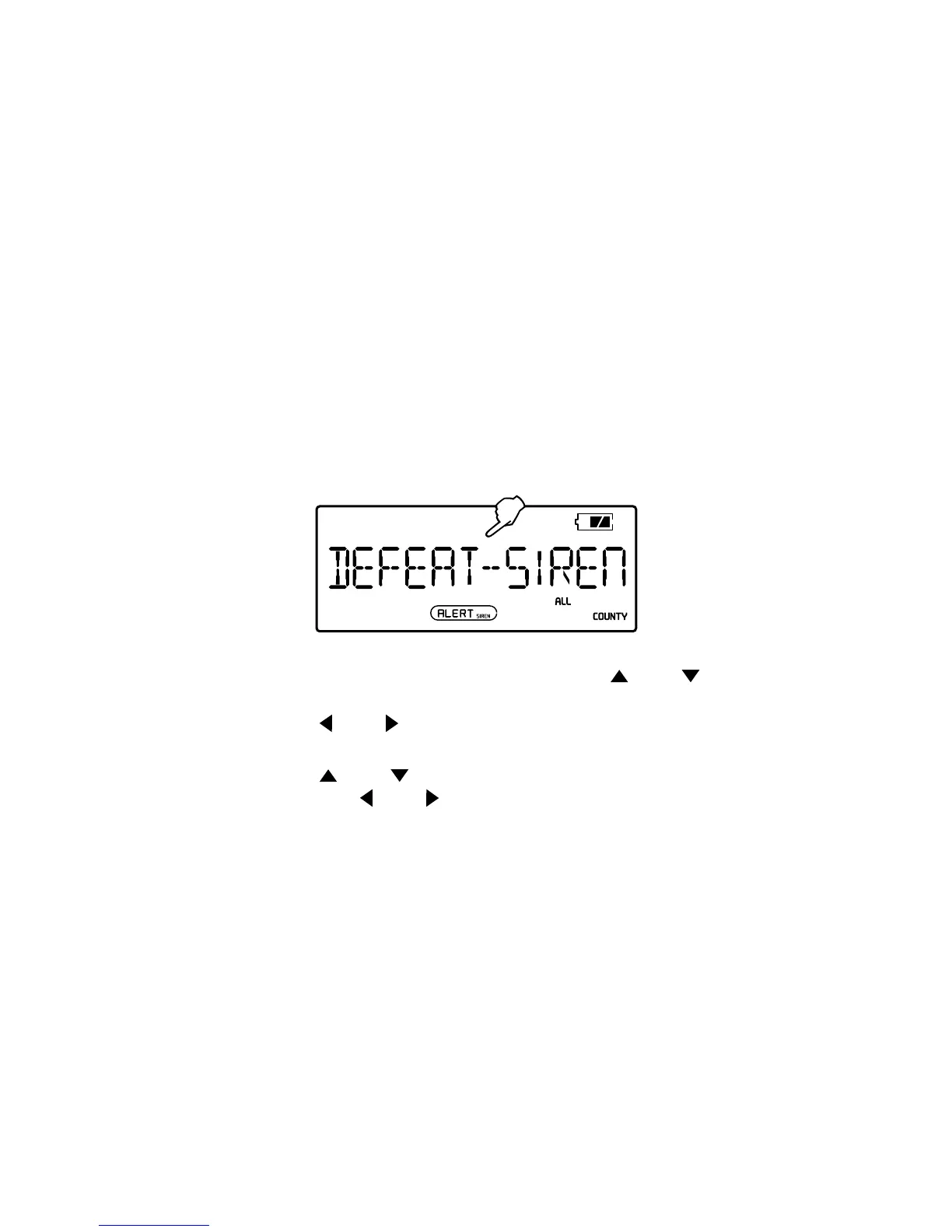
1. With radio OFF, press <MENU>, then press < > or <
> to select <DEFEAT-SIREN> mode.
2. Press <
> or < > to see sample message scroll in
the display.
3. Press <
> or < > to carefully read each alert type,
then press <
> or < > to enable or disable. Repeat for
all alert types.
4. Press <MENU> twice to conrm and exit.


 To Next Page