At a Glance
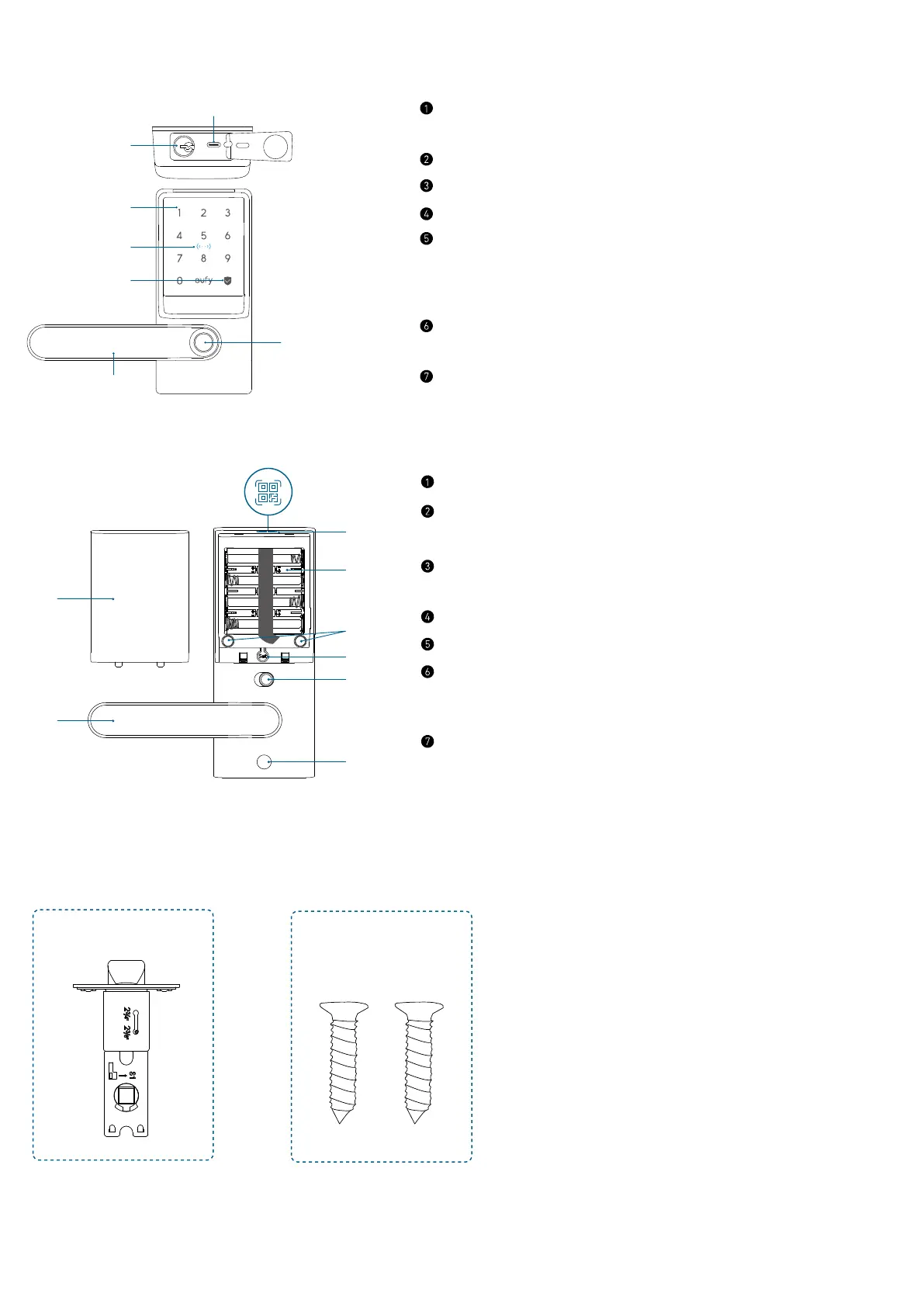
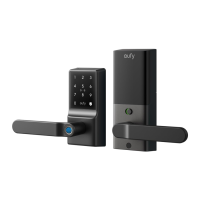
Exterior Assembly
⑤
⑦
②
③
④
USB-C Port
• Charges the lock in emergency situations.
Keyway
Keypad
NFC Reader
Status Light and Lock / Unlock Button
• Blue: Door Unlocked
• Orange: Door Locked
• Red: Abnormal State
Handle
• Adjust the handle's direction to the left or right as needed.
Fingerprint Scanner
Interior Assembly
Battery Cover
Handle
• Adjust the handle's direction to the left or right as needed.
QR Code
• Scan to add Smart Lever Lock C33 in the app.
Battery Compartment
Screw Hole
Setup Button
• Press for 2 seconds to put Smart Lever Lock in paring mode.
• Press for 10 seconds to reset Smart Lever Lock.
Privacy Button
• Green: Unlock the door from inside or outside.
• Red: Unlock the door from inside only.
What’s in the Box
Step 2
A
B
Latch Latch Screws


 To Next Page