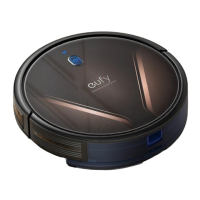
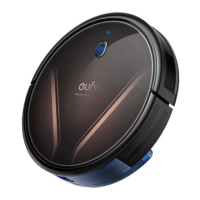
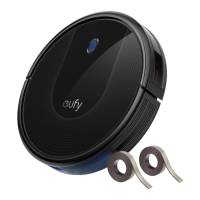
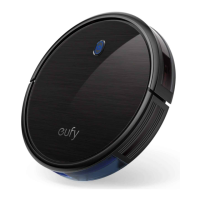
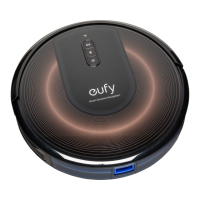
The Eufy RoboVac G30 series is a line of robotic vacuum cleaners designed to automate floor cleaning. This series includes the G30, G30 Edge, G30 Verge, and G30 Hybrid models, each offering a range of features to suit different cleaning needs. The RoboVac is primarily designed for indoor use on hard floor surfaces or low-pile carpets, effectively removing dust, debris, and pet hair.
Function Description
The RoboVac G30 series operates autonomously, navigating your home to clean floors efficiently. It utilizes a Z-shaped cleaning method, systematically covering areas to ensure thorough cleaning. The device is equipped with various sensors, including anti-drop sensors to prevent falls down stairs and hall sensors (on G30 Edge and G30 Hybrid) for improved navigation. It can automatically return to its Charging Base when the battery is low or after completing a cleaning cycle.
The RoboVac can be controlled via physical buttons on the device itself or through the eufy Clean app, which offers extended functionalities. The app allows users to select cleaning modes, set cleaning schedules, adjust suction power, view system status, and receive notifications. For enhanced convenience, the RoboVac G30 series can also be integrated with Amazon Alexa or Google Assistant, enabling voice control for starting, pausing, or returning the robot to its base.
The G30 Hybrid model stands out with its integrated mopping system, allowing it to sweep and mop simultaneously. This feature is ideal for maintaining clean hard floors, though it's recommended for floors without stubborn stains and should not be used on carpets. The mopping system includes a water tank and a washable mopping cloth.
Usage Features
Before initial use, it's crucial to prepare the cleaning area by removing power cords, small objects, and folding tasseled edges of rugs to prevent entanglement. The RoboVac can climb over objects up to 0.63 inches (16mm) in height. Physical barriers are recommended for areas with steep drops or balconies where anti-drop sensors might be less effective on certain floor types (e.g., very dark-colored or reflective floors).
To start cleaning, ensure the main power switch is on and the RoboVac is fully charged. You can initiate auto-cleaning by pressing the play/pause button on the device or through the eufy Clean app. The RoboVac will then determine its cleaning route and systematically clean the area.
Different cleaning modes are available to address specific needs:
- Auto-cleaning: The default mode for general cleaning, where RoboVac follows a Z-shaped path.
- Spot cleaning: Ideal for concentrated areas of dust or debris, where RoboVac cleans intensively in a spiral pattern for two minutes.
- BoostIQ™ feature: Available via the eufy Clean app, this feature automatically increases suction power when thicker carpets or hard-to-sweep messes are detected, ensuring a more thorough clean. This feature can be disabled if the increased noise level is bothersome.
Suction power levels can be adjusted through the eufy Clean app, with options for Standard (Default), Turbo, and Max. The selected suction power level will be remembered for subsequent cleaning cycles.
For the G30 Hybrid model, the mopping system requires a few steps:
- Install the waterproof pad under the Charging Base to protect the floor.
- Wet and wring out the mopping cloth, then firmly attach it to the water tank.
- Fill the water tank with water (and eufy-designated cleaning solution if desired) and install it into the bottom of the RoboVac.
- Select a cleaning mode to begin sweeping and mopping.
After mopping, the water tank should be removed, emptied, and the mopping cloth cleaned to prevent mildew or odors.
Scheduling cleanings is possible through the eufy Clean app, allowing users to set specific times for RoboVac to start cleaning from Sunday to Saturday.
Maintenance Features
Regular cleaning and maintenance are essential for optimal performance and longevity of the RoboVac. Before performing any maintenance, turn off the device and unplug the adapter.
Key maintenance tasks include:
- Dust Collector and Filter: Clean after each use. The filter should be replaced every 6 months or after every 50 rounds of cleaning. Do not use a brush, hot water, or any detergent to clean the filter.
- Side Brush: Clean once a month and replace every 3-6 months or when visibly worn. Ensure the side brush is completely dry before reinstallation.
- Rolling Brush: Clean once a week. Remove any hair wrapped around the brush or entangled in its ends. Replace every 6-12 months.
- Brush Guard: Clean once a month. Replace every 3-6 months or when the silicone rubber strip becomes visibly worn.
- Sensors and Charging Pins: Clean once a month with a dry cloth. Be careful not to touch the path tracking sensor with hands or sharp objects to avoid damage.
- Swivel Wheel: Clean once a month. Do not clean the swivel wheel with water.
- Water Tank and Washable Mopping Cloth (G30 Hybrid only): Clean after each use. The mopping cloth should be removed, emptied, and cleaned to prevent mildew.
If the RoboVac will not be used for an extended period, turn off the main power switch and recharge the battery at least once every 6 months to preserve its lifespan.
The device provides voice alerts and LED indicators to communicate its status or any encountered problems, such as being trapped, low battery, or sensor issues. Troubleshooting solutions for common problems are provided in the manual, and customer support is available for further assistance.


 To Next Page
 General