EasyManua.ls Logo

EUFY RoboVac LR30 Hybrid+ - User Manual

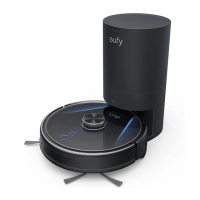
EUFY RoboVac LR30 Hybrid+
54 pages
Print Icon
To Next Page IconTo Next Page
Loading...
Quick Start Guide
RoboVac
Gufa
de lnicio Rapido

Questions and Answers

Summary

Safety Instructions

Warning Symbols Used

Explanation of safety alert symbols used in the manual.

General Safety Guidelines

Rules for safe operation and maintenance by children and adults.

Power Supply and Battery Safety

Guidelines for using the power supply and handling the battery.

Device Usage and Handling Precautions

Device Usage Restrictions

Restrictions on device use, including environment and floor types.

Handling Precautions

Precautions for handling the device, cords, and surrounding objects.

Surface Compatibility and Laser Safety

Surface Compatibility and Laser Safety

Device's floor compatibility, battery, and laser distance sensor safety.

Regulatory Compliance

Electrical Appliance Disposal

Guidance on proper disposal of electrical appliances.

FCC Statement

Compliance statement with FCC rules for radio frequency.

Radio Frequency Compliance

RF Exposure Compliance

Compliance with FCC/IC radiation exposure limits.

ISED Compliance Statement

Compliance with Canadian Innovation, Science and Economic Development rules.

Declaration of Conformity

EU Declaration of Conformity

Compliance with European Community radio interference requirements.

GB Declaration of Conformity

Compliance with UK Radio Equipment Regulations.

Product Trademarks

Third-Party Trademarks

Lists trademarks for Amazon, Apple, and Google products.

About Your RoboVac

Whats in the Box

Lists all items included in the RoboVac package.

RoboVac Anatomy Overview

Identifies key parts of the RoboVac.

LED Indicators

Explains the meaning of various LED indicator lights.

Map Navigation Overview

Overview of RoboVac's navigation and mapping capabilities.

RoboVac Component Views

RoboVac Top View

Details buttons and sensors on the top of the RoboVac.

RoboVac Side View

Details sensors and modules on the side of the RoboVac.

RoboVac Bottom and Tank Details

RoboVac Bottom View

Identifies components on the bottom of the RoboVac.

Dust Box and Water Tank

Explains the 2-in-1 dust box and water tank.

RoboVac Module and Inlet Details

Mopping Module Details

Details the removable mopping module.

Suction Inlet Identification

Identifies the suction inlet port on the RoboVac.

Auto Empty Station Components

Auto Empty Station Components

Identifies parts of the auto empty station.

Operation Status and Navigation

LED Status Meanings

Explains the status indicated by different LED lights.

Navigation Process Overview

How RoboVac navigates and maps rooms during cleaning.

Mapping, Navigation, and Usage

Real-Time Mapping Process

How RoboVac learns the home environment for efficient cleaning.

Repositioning and Remapping

How RoboVac adjusts to changes in its environment.

Important Usage Tips

Essential advice before starting RoboVac operation.

Initial Setup and Preparation

Preparation for Operation

Steps to prepare RoboVac and the environment before use.

Auto Empty Station Placement

Auto Empty Station Placement

Instructions for placing and clearing space around the auto empty station.

Connecting the Auto Empty Station

Connecting the Auto Empty Station

Connecting the adapter and ensuring proper placement for the auto empty station.

Auto Empty Station Functions

RoboVac Return and Charging

How RoboVac returns and charges at the auto empty station.

Auto-Emptying Process

How the dust box is automatically emptied.

Auto Empty Station LED Status

Explains the LED indicators on the auto empty station.

Power Saving Mode

Engaging Power Saving Mode

Steps to activate power saving mode on the auto empty station.

EufyHome App Integration

App Setup Requirements

Prerequisites for connecting RoboVac to the EufyHome app.

Connecting to the EufyHome App

Step-by-step guide to connect RoboVac to the app.

App Wi-Fi Connection Status

Interpreting LED status during Wi-Fi connection.

Cleaning Scheduling and Control

Scheduling Cleaning via App

How to schedule cleaning times and days using the EufyHome app.

Starting and Stopping Cleaning

Methods to start, pause, and stop RoboVac cleaning.

Cleaning Modes

Auto Cleaning Mode

Description of the default auto cleaning mode.

Spot Cleaning Mode

How to use spot cleaning for concentrated areas.

Advanced Cleaning Modes and Settings

Room Cleaning Mode

How RoboVac cleans specific rooms based on the map.

Zone Cleaning Mode

How to clean specific zones defined in the app.

Suction Power Levels

Options for adjusting suction power (Quiet, Standard, Turbo, Max).

BoostIQ Feature

How BoostIQâ„¢ automatically adjusts suction for different surfaces.

Mopping System Usage

Mopping Mode Guidelines

Conditions and surfaces suitable for mopping.

Preparing for Mopping

Steps to prepare the auto empty station for mopping.

Removing Mopping Module

How to detach the mopping module from RoboVac.

Mopping System Setup Steps

Mopping Cloth Setup

Instructions for wetting and attaching the mopping cloth.

Water Tank Filling

How to fill the water tank and notes on cleaning solutions.

Mopping System Operation and Cleaning

Installing Water Tank and Mopping Module

Attaching the water tank and mopping module to RoboVac.

Starting Mopping and Removal

How to start vacuuming and mopping, and remove the module afterward.

Post-Mopping Cleaning

Cleaning the dust box, water tank, and mopping cloth after use.

Voice Assistant and Safety Features

Alexa;Google Assistant Setup

How to connect RoboVac with Amazon Alexa or Google Assistant.

Supported Languages for Voice Control

Lists languages supported for voice control.

Enabling;Disabling Child Lock

How to activate or deactivate the child safety lock feature.

Cleaning and Maintenance Schedule

Cleaning and Replacement Schedule

Recommended frequency for cleaning and replacing parts.

Cleaning Dust Box, Tank, Filter

Steps to clean the dust box, water tank, and filters.

Filter Maintenance

Filter Cleaning and Drying

Instructions for cleaning and air-drying filters.

Rinsing and Reassembly

Rinsing components and reassembling the dust box and water tank.

Rolling Brush Maintenance

Reinstalling Dust Box and Tank

How to put the dust box and water tank back into the main unit.

Cleaning the Rolling Brush

Steps to remove, clean, and reinstall the rolling brush.

Side Brush Maintenance

Brush Guard Installation

Securing the brush guard after cleaning.

Removing Side Brushes

How to detach the side brushes for cleaning.

Cleaning Side Brushes

Instructions for cleaning and reshaping side brushes.

Side Brush Replacement and Sensor Cleaning

Dry Side Brushes Before Use

Ensuring side brushes are dry before use.

Replacing Side Brushes

How to remove old and install new side brushes.

Cleaning Sensors and Charging Pins

Cleaning the robot's sensors and charging contacts.

Swivel Wheel and Mopping Cloth Maintenance

IR Window Cleaning

Cleaning the IR window on the RoboVac.

Cleaning the Swivel Wheel

How to clean hair and debris from the swivel wheel.

Swivel Wheel and Mopping Cloth Care

Swivel Wheel Removal and Reinstallation

Detaching and reattaching the swivel wheel.

Swivel Wheel Water Warning

Warning against cleaning the swivel wheel with water.

Cleaning the Mopping Cloth

Steps for rinsing and drying the washable mopping cloth.

Mopping Cloth Drying and Dust Bag Replacement

Mopping Cloth Drying

Ensuring the mopping cloth is completely dry to prevent mildew.

Removing the Dust Bag

How to open the cover and remove the used dust bag.

Dust Bag Replacement

Installing a New Dust Bag

Steps to install a new dust bag and close the cover.

Troubleshooting Common Issues

RoboVac Not Activating

Solutions for when the RoboVac cannot be activated.

RoboVac Stops Suddenly

Solutions for when the RoboVac stops working unexpectedly.

Troubleshooting Operational Problems

Scheduling Issues

Solutions for problems with scheduling cleanings.

Weak Suction Power

Reasons for weak suction and how to fix them.

Charging Problems

Solutions for when RoboVac cannot be charged.

Return to Station Issues

Solutions for RoboVac failing to return to the auto empty station.

Abnormal Movement or Path

How to address abnormal movement patterns.

Mopping Water Issues

Solutions for incorrect water flow during mopping.

Troubleshooting Performance and Connectivity

Short Cleaning Time

Solutions for reduced cleaning time.

Wi-Fi Connection Problems

Solutions for issues connecting to the Wi-Fi network.

Voice Control Issues

Solutions for problems controlling RoboVac via voice assistants.

Voice Alerts and Solutions

Front Bumper Stuck Error

Solution for front bumper stuck error.

Wheel Stuck Error

Solution for wheel stuck error.

Side Brush Stuck Error

Solution for side brush stuck error.

Rolling Brush Stuck Error

Solution for rolling brush stuck error.

Device Stuck or Trapped Error

Solution for device stuck or trapped error.

Device Suspended in Air Error

Solution for device suspended in air error.

Wheels Suspended in Air Error

Solution for wheels suspended in air error.

Low Battery Shutdown

Solution for low battery shutdown.

Advanced Voice Alerts and Specifications

Magnetic Boundary Strip Error

Solution for magnetic boundary strip detected error.

Battery Error Solutions

Solutions for battery-related errors.

Wheel Module Error Solutions

Solutions for wheel module errors.

Side Brush Error Solutions

Solutions for side brush error.

Suction Fan Error Solutions

Solutions for suction fan error.

Rolling Brush Error Solutions

Solutions for rolling brush errors.

Technical Specifications

Power and Battery Specifications

Electrical input and battery specifications.

Capacity and Charging Time

Dust box, water tank capacity, and charging time.

Customer Service and Support

Online Support Resources

Links to tutorial videos, FAQs, and manuals.

Customer Contact Information

Email, website, and phone numbers for customer support.

Limited Warranty Information

Warranty Scope and Duration

Details of the one-year limited warranty coverage and period.

Warranty Remedy Process

How defects are repaired or replaced under warranty.

Warranty Exclusions

Conditions under which the limited warranty does not apply.

Warranty Terms and Disclaimer

Further Warranty Exclusions

Additional exclusions from warranty coverage.

Disclaimer of Liability

Limitations on Anker Innovations' liability for product defects.

Warranty Service Procedures

How to claim warranty service for store or online purchases.

EUFY RoboVac LR30 Hybrid+ Specifications

General IconGeneral
Noise level62 dB
Navigation typeiPath Laser Navigation
Number of brushes2
Number of programs4
Water tank capacity0.2 L
Dust capacity (total)3 L
HEPA filtration system-
Vacuum cleaner programsAuto, Spot
Floor surfaces supportedCarpet, Hard floor
Threshold climbing (max)20 mm
Works with the Google AssistantYes
ShapeRound
Product colorBlack
Dust container typeDust bag
Charging time4 h
Battery voltage14.4 V
Battery capacity3200 mAh
Package depth420 mm
Package width408 mm
Package height425 mm
Package weight10830 g
Suction power3000 Pa
Weight and Dimensions IconWeight and Dimensions
Width350 mm
Height100 mm
Weight3300 g
Base station weight3600 g
Base station dimensions (W x D x H)245 x 220 x 394 mm

Related product manuals