Operating Manual
www.esglobal.co.kr
10
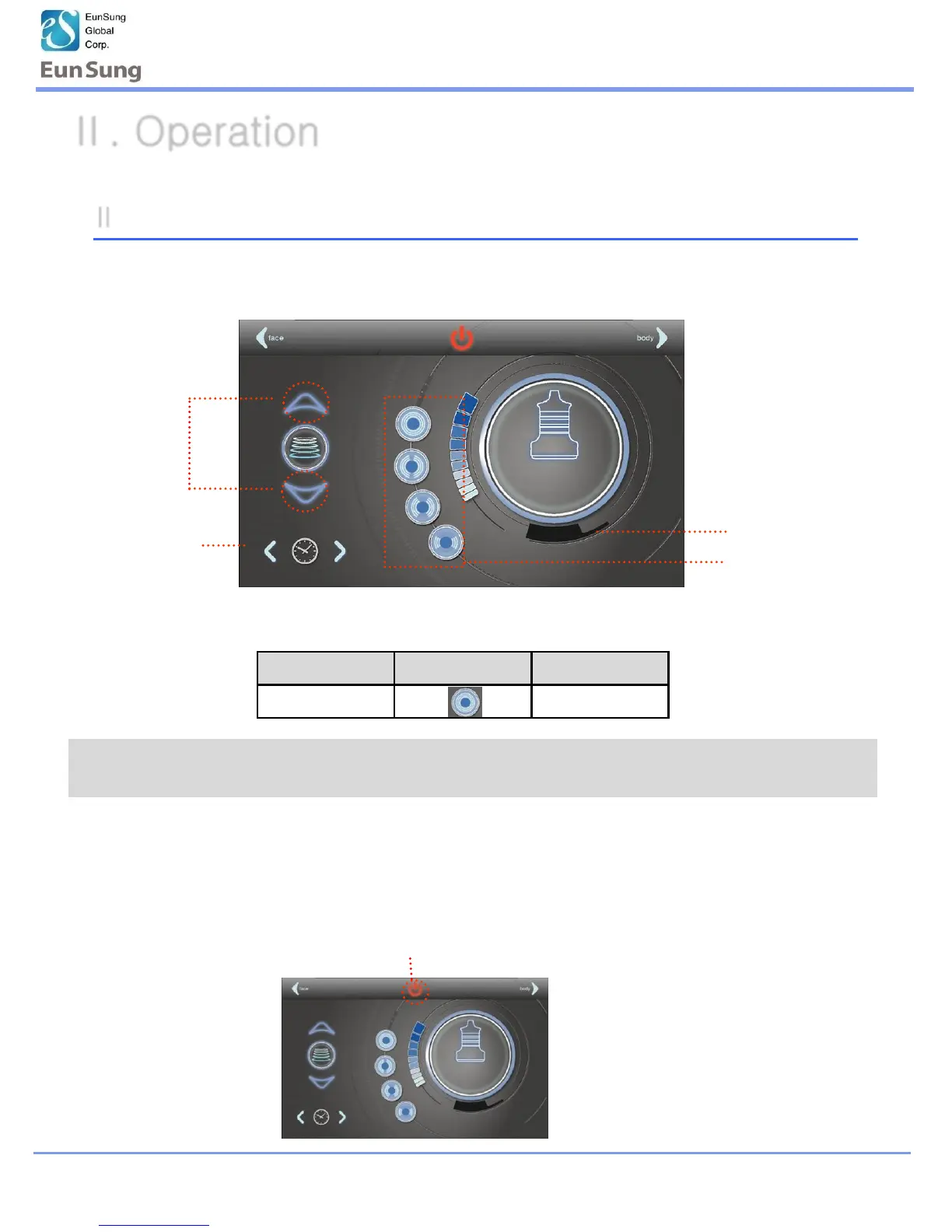
15:00
Set
Cavitation
the level
Control time
Preset time
Choose the program
* Selecting the Cavitation Mode, it has a preset function.
level Program Time
5 C 15 min
II -2-1. Cavitation Operation (Body)
1. Use to the preset program and change to mode, level and time as your convenient
2.Apply gel to the treatment area
Press
3.Press the Power button on the handpiece to start operation
Ⅱ. Operation
* The preset function is basically set up to each mode for users. If the level of
preset is not suitable for user, then the user can adjust to level to use


 To Next Page