!
To preserve natural resources, please recycle or dispose of expired battery
pack properly.
Troubleshooting
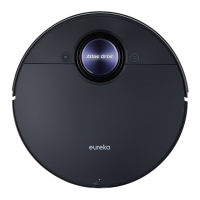
The robotic vacuum
cannot be recharged
Faults
Possible Causes
The robotic vacuum is not in
contact with the charging
contacts.
Place the robotic vacuum 1m in
front of the self-emptying base
and press the recharging button.
Solutions
The robotic vacuum
cannot return for
charging
The self-emptying base is
placed improperly.
Place the self-emptying base on
a level surface that is free of
obstacles.
The robotic vacuum is
entangled/stuck by objects
(such as cords) on the floor.
Please put away the scattered
cords and objects on the floor.
The robotic vacuum is
trapped
The side brush/main brush is
stuck so that the robotic
vacuum cannot move normally.
Remove the objects that caused
the main/side brush to be stuck
and place the robotic vacuum flat
on the floor and restart.
The robotic vacuum is stuck by
obstacles.
Remove the obstacles and
proceed with cleaning, or set
No-go zones in App.
Cleaning process has
not been completed,
but the robotic vacuum
returns for charging
The battery level of the robotic
vacuum is running low.
Let the robotic vacuum return for
recharging.
Scheduled appointment has
been cancelled.
Reset appointment.
Fail to clean as
appointment
The robotic vacuum is in Do Not
Disturb Mode.
Turn o "Do Not Disturb Mode"
or adjust the "Do Not Disturb"
time interval.
The robotic vacuum
does not work
Left/right wheel is suspended.
Place the robotic vacuum flat on
the floor and retry.
The robotic vacuum
moves backward
The protective cover of
navigation module is stuck.
Gently tap the protective cover
to remove dust.
There is obstacle ahead. Remove the obstacle ahead.
The robotic vacuum
moves backward
The bumper is stuck.
Gently tap the front bumper to
remove dust.
There is dust accumulated on
the cli sensors.
Clean the dust accumulated on
the surface of cli sensors.
www.eureka.com 19
Check your problem by using the chart below and try the solutions for each problem.
If the robotic vacuum still does not work properly, contact our customer service
HELPLINE at 1-800-282-2886.



 To Next Page