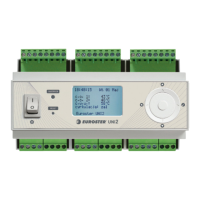
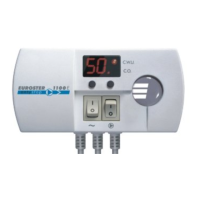
EUROSTER 813 – USER MANUAL 8
A. Set/Adjust the Clock
1. Press or to set the correct Hour of the day
2. Press to set the Minutes.
3. Press or to set the correct minutes
4. Press to set/adjust next setting.
B. Anti-frost protection A-F (refer to the page of Specification Item-8 for a detailed
description)
1. Press or to choose Enable (ON) or Disable(OFF) this function.
C. Set/Adjust the required operating mode
This unit provides 4 operating modes, we suggest that you read the "Introduction"
thoroughly in this Instructions before choosing.
1. Press or to choose the required mode
2. Press to go to the next setting.
C1 - Hi Limits S1 (Refer to the page of Specification Item-7 & 9 for a detailed
description)
1. Press or to choose the required setpoint
2. Press to go to the next setting.
C-2 Lo Limits S1 (Refer to the page of Specification Item-10 for a detailed
description)
1. Press or to choose the required setpoint
2. Press to go to the next setting.
C-3 Hi Limits S2 (Refer to the page of Specification Item-7 & 9 for a detailed description)
1. Press or to choose the required setpoint.
2. Press to go to the next setting.
D. ΔT S1-S2 ON and OFF setpoints (Refer to the page of Specification Item-11 for
a detailed description)
1. Press or to choose the required ON setpoint
2. Press to go to the next setting.
3. Press or to choose the required OFF setpoint.
4. Press to go to the next setting.
E. ΔT S2-S3 ON and OFF setpoints (Refer to the page of Specification Item-12 for
a detailed description)
1. Press or to choose the required ON setpoint.
2. Press to go to the next setting.
3. Press or to choose the required OFF setpoint.
4. Press to go to the next setting.
(Effects in operating mode-4 only)
F. Set/Adjust Operation setpoint and Hysteresis (Switching differential) in S2
(Thermostatic in Output A. Refer to the page of Specification Item-13 for a detailed
description)
1. Press or to choose the required setpoint.
2. Press to go to the Hysteresis setpoint
3. Press or to choose the required Hysteresis setpoint.


 To Next Page