| 18
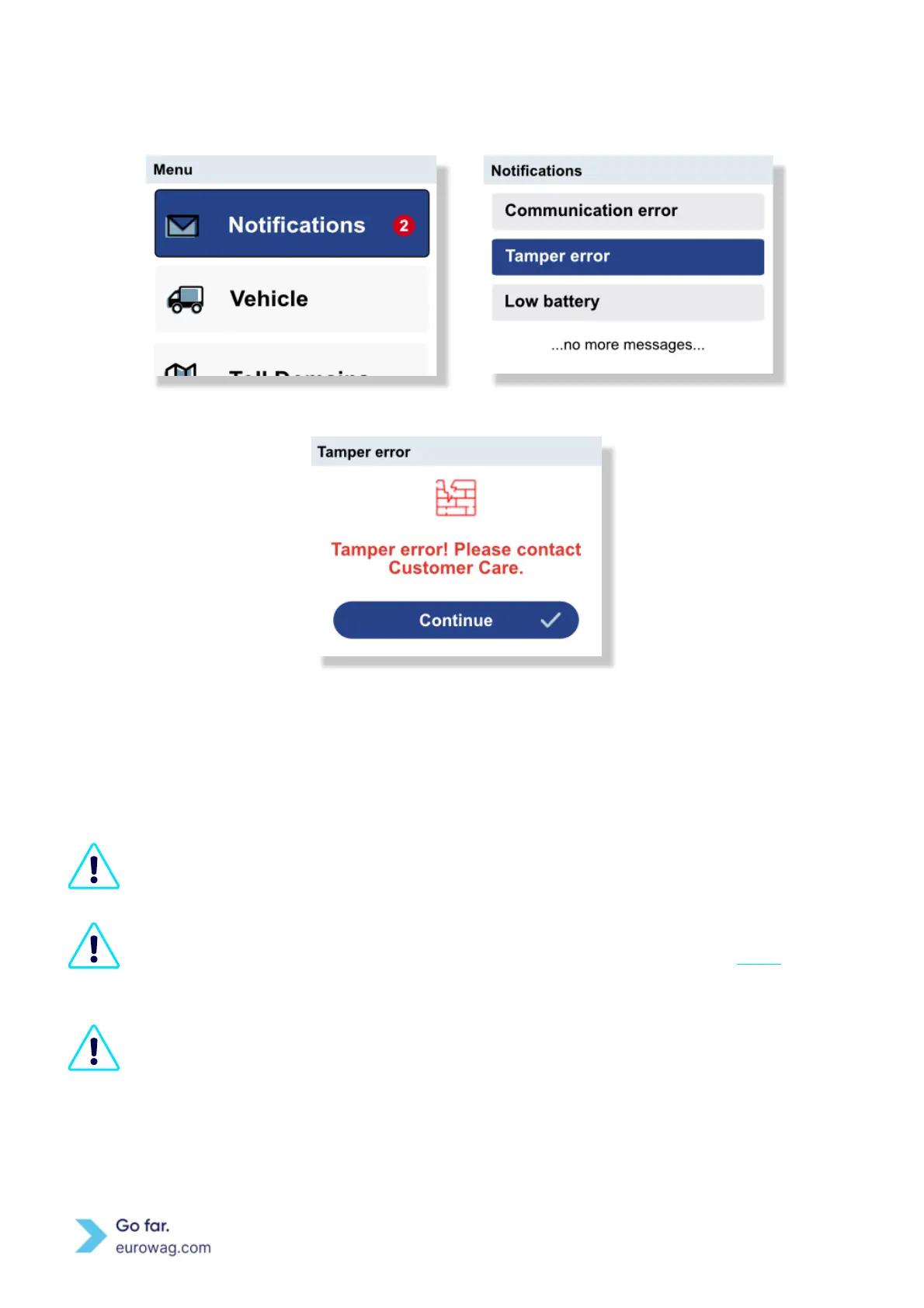
B. Use ↑ or ↓ to scroll between notifications and press the ✓ button to read the message.
Screen displaying Menu (A)
Screen displaying overview of Notification (B)
Screen displaying Tamper error
Messages are displayed when a user (e.g. driver) tries to perform a function on the EW OBU that
cannot be done at that time or performed in that situation.
Messages are displayed WITH NO accompanying sound effect and NO changing the EW OBU
LED diode. Note: It does not matter how the sounds are set in the Menu (see Menu, Sound).
The EW OBU display lights up at the same time a message is displayed.
A notification message is displayed for approximately 10 seconds or it will continue to be
displayed until confirmed by the user (e.g. driver).



 To Next Page