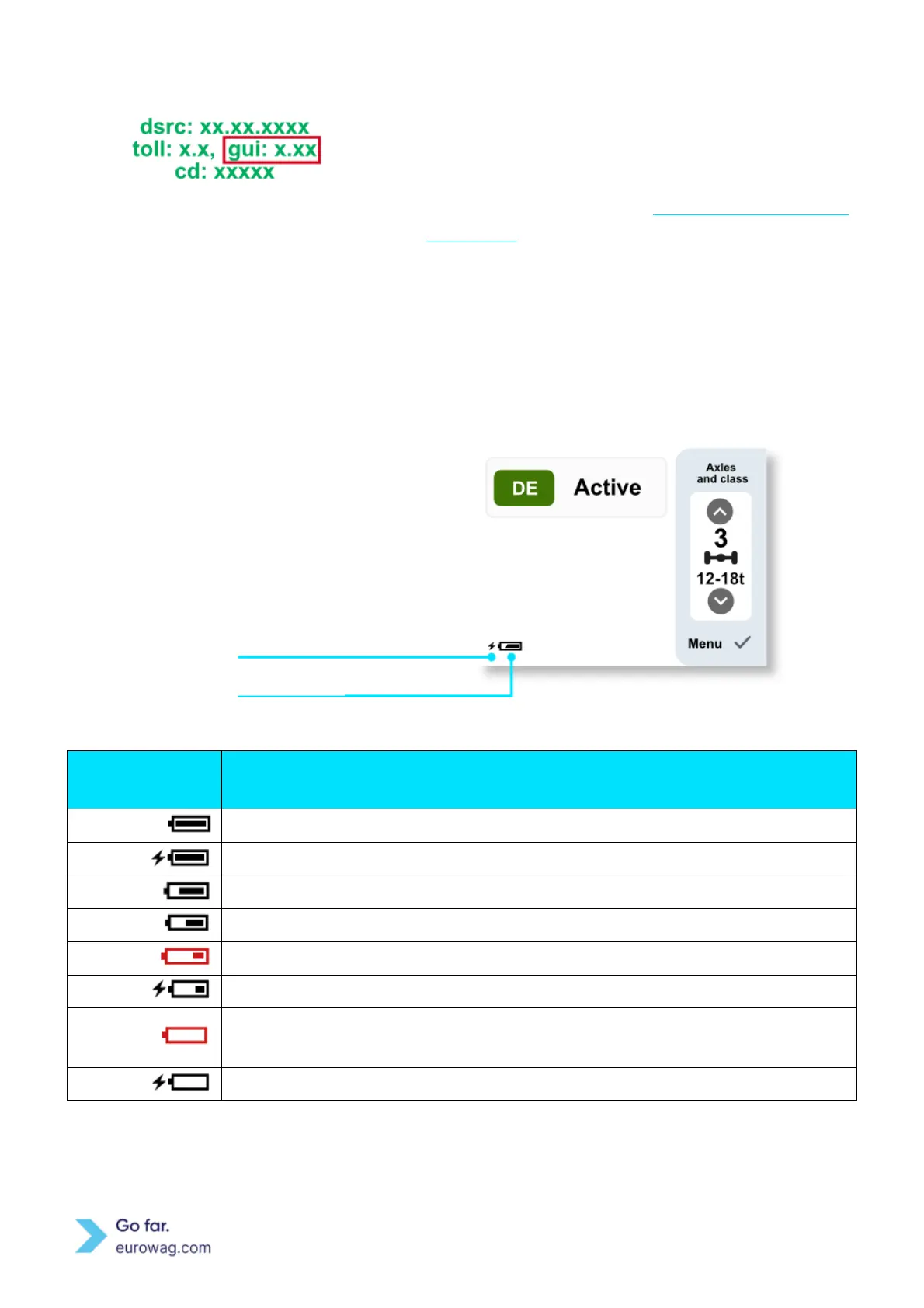
Information and version of important components in EW
OBU.
The bordered area on the side (GUI version) allows the
reader to identify the correct EW OBU user manual on
our website.
Battery level is indicated in the bottom
left corner of the screen. If the EW
OBU is connected to a power supply
(see picture on right), a battery
charging indicator is displayed.
Screem displaying EW OBU Battery
EW OBU is not connected to a power supply and it is fully charged.
EW OBU is connected to a power supply and fully charged.
EW OBU battery level is approximately 75 %.
EW OBU battery level is approximately 50 %.
EW OBU battery is low. EW OBU should be connected to a power supply.
EW OBU battery is low. EW OBU is connected to a power supply.
EW OBU battery is empty. EW OBU should be connected to a power supply
immediately.
EW OBU battery is critically low. EW OBU is connected to a power supply.
Battery charging indicator



 To Next Page