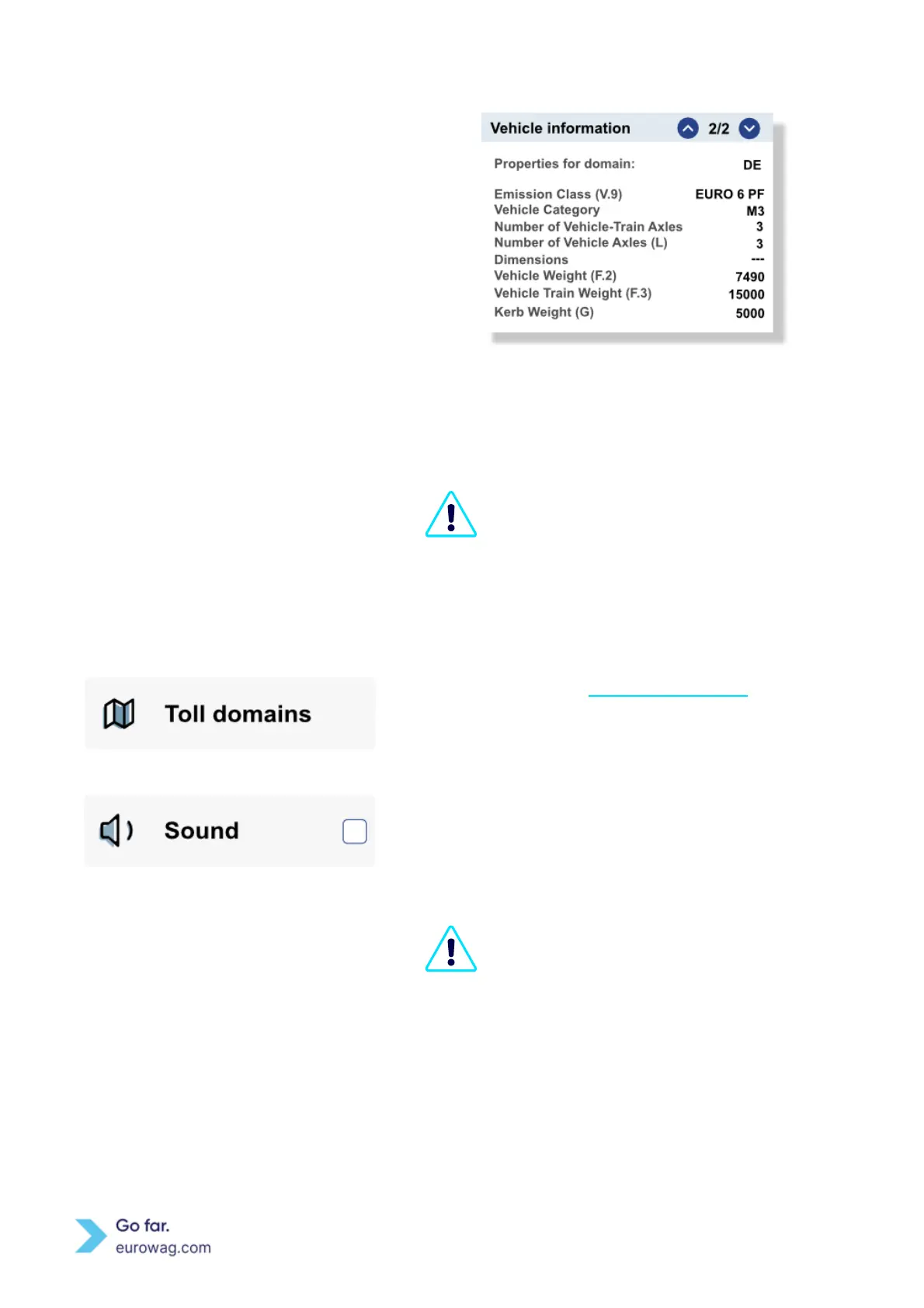
Screen displaying Vehicle information for specific
toll domain
Use ↑ or ↓ to scroll between individual subsections in
the section.
You are responsible for comparing the
Declaration data with the displayed Vehicle
information. If the data does not correspond
with the vehicle’s actual information, then
contact Eurowag Customer Care and do not
use the EW OBU.
Detailly described in Toll domain statuses. This section
shows an overview of activated/ blocked Toll domains for
specific EW OBU.
To activate sound on the EW OBU, mark the Sound
checkbox with ✓ button.
To mute the EW OBU, remove the ✓ button from the
checkbox.
Turning EW OBU sound off does not affect the
sound effects that accompany DSRC
transactions (passing under DSRC gantries).


 To Next Page