L30C-30A-UK-02-01 3 May 2009
4. CONFIGURATION MENU
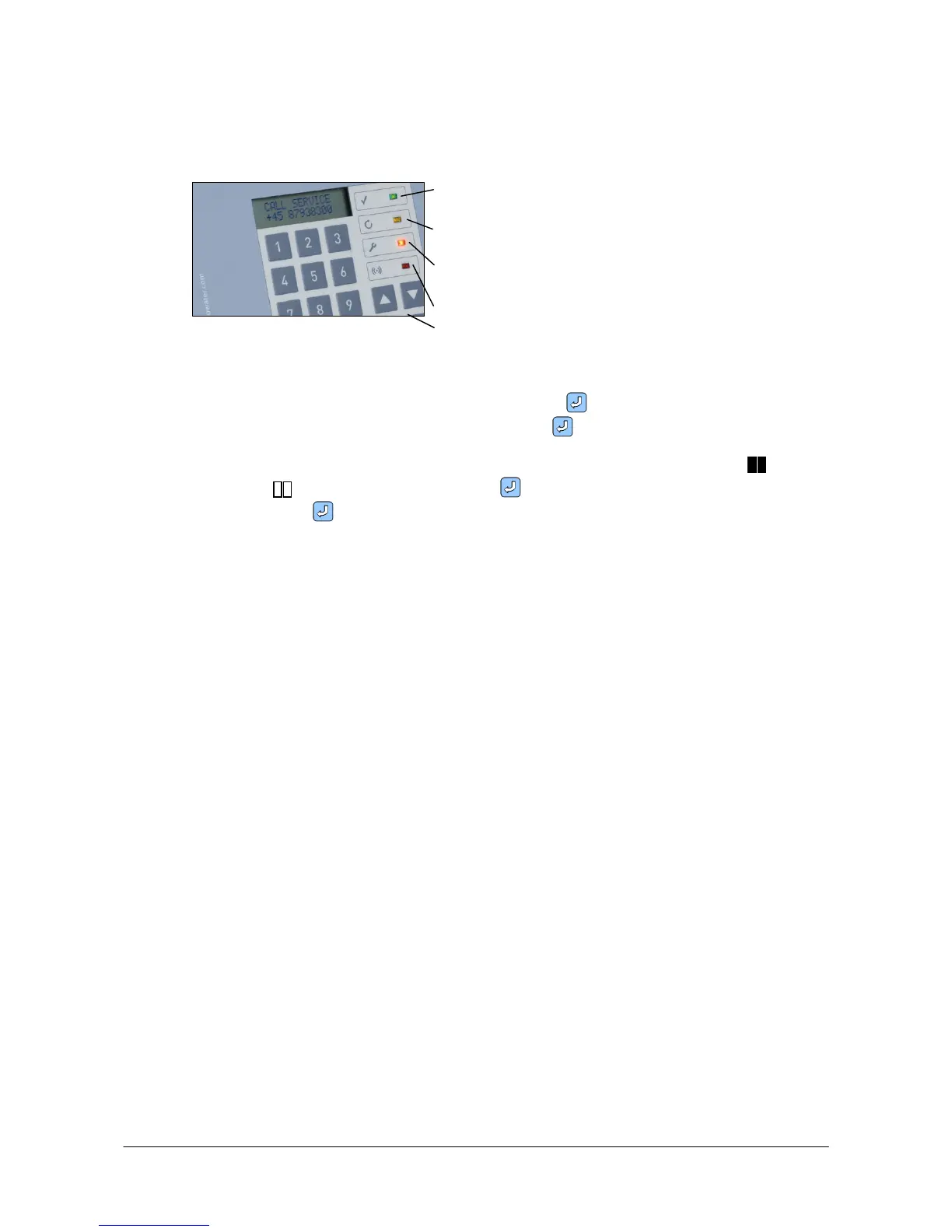
- setting and changing program parameters and plant functioning.
Power on
Regeneration, softening
Call service
Alarm
4 arrow keys
Use the arrow keys to change between display level and setting level and to navigate between
the various displays.
To enter or change a numerical value, first press ENTER until the cursor blinks. Now enter
the desired value on the numeric keypad. Press ENTER to confirm your entries.
Special functions can be enabled or disabled. These functions are displayed with when
enabled and when disabled. Press ENTER to select a function and the symbols blink.
Now press ENTER again to confirm your selection.
If you want to disable a function, the procedure is the same.
If the control is in configuration menu, and the keypad has not been touched for approximately
three minutes, the control will automatically change to operation menu.
Enter code 111 or 222 to access configuration menu from operation and display menu.


 To Next Page