7.Standard default value
(Factory preset settings)
10
8.Setting value range
a. Pressure setting range : 0.01 ~ 10.00bar
b. Time-Delay setting range : 0 ~ 60 seconds
c. Detection time after Dry-running setting range: 1~120 seconds
d. Time of automatic re-start running after warning shutdown
(α value) setting range : 1 ~ 600 seconds
e. Auto shutdown setting range: St-0~St-5 (None and 0.5~5Hours)
a. Max. pressure value : 2.5kg/cm²
b. Min. pressure value : 1.5kg/cm²
c. Delay Time when reaching the Max. Pressure : 15seconds
d. The pressure unit : kg/cm²
e. Detection time of water shortage : 30 seconds
f. Pressure of water shortage : 0.5kg/cm²
g. Time of automatic re-start running after warning shutdown
(α value) : 60 seconds
h. Auto shutdown setting after continuous running : St-0
i. Over pressure value is fixed in 10bar and cannot modify
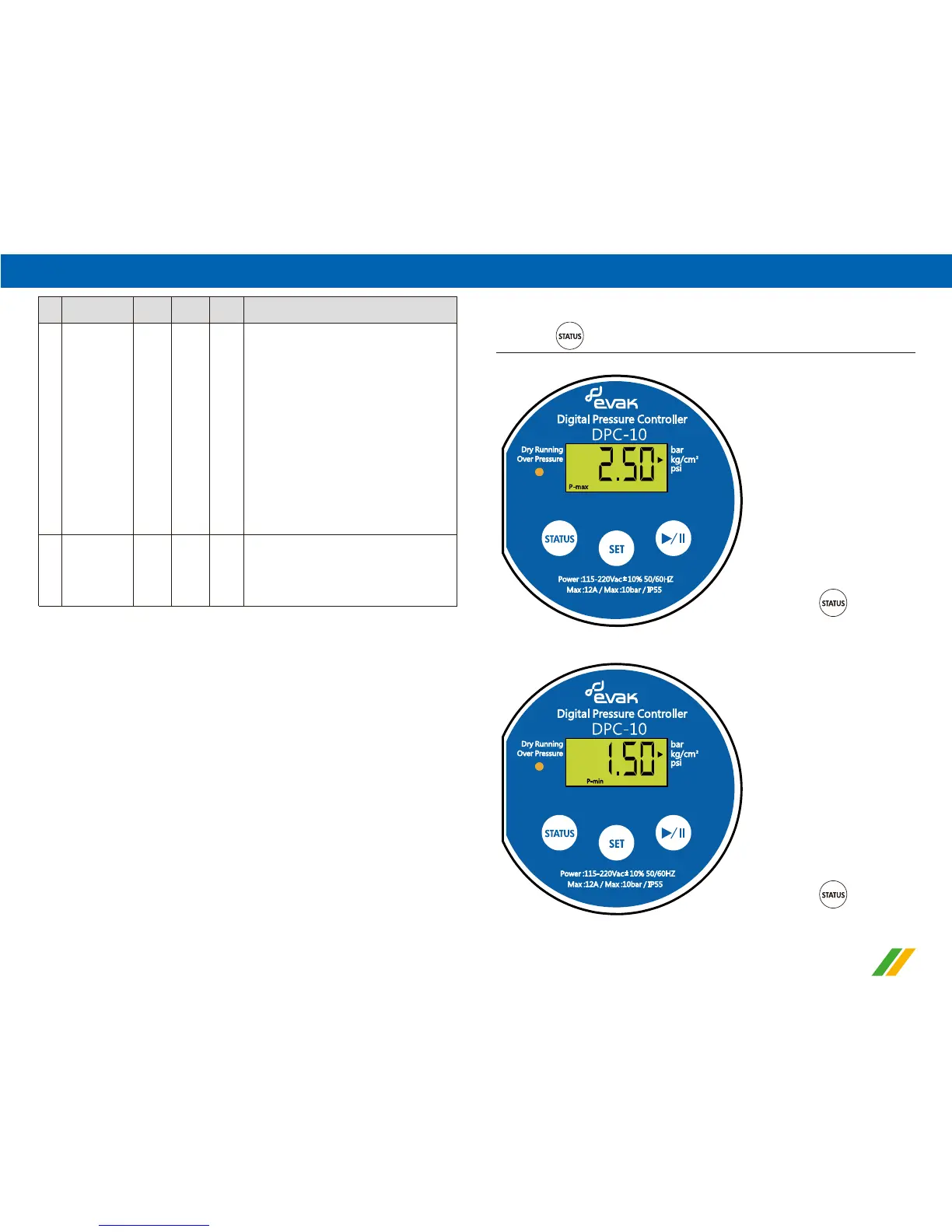
9.The actual operating parameters display
1).Max. pressure setting display (high pressure) (Show code P-max)
2).Min. start pressure setting display (low pressure) (Show code P-min)
↓ Press once
a. Press once to browse original pressure value
↓ Press once
- -
dF-n
dF-y
- -
- - - -
or
loAd
Restore to
default value
setting
LCD screen
display “loAd”
or “ ----” for 3
seconds to
store and finish
the setting
a.Select to restore default value settings
(dF-y), press the right button and adjust the
parameter value from dF-n to dF-y.
After finishing the setting, press the SET
button, then all the advanced value
settings are returned to default value.
LCD screen display "- - - -" for 3 seconds
and back to the actual pressure conditions.
b.Stay on this screen for 30 seconds, the
display screen will back to the actual
pressure conditions automatically and the
preset data value is not stored.
c.Choose not to return to default value
settings (dF-n), select dF-n and press the
SET button again, LCD screen display
"loAd" for 3 seconds and will back to the
After LCD screen display “loAd” or “ ----” for
3 seconds later, above setting value are
stored and go to the actual pressure value
automatically.
6
7
Item
Parameters
Display
Code
Default
Unit
Data
Range
Description
actual pressure conditions automatically.


 To Next Page
 Loading...