12
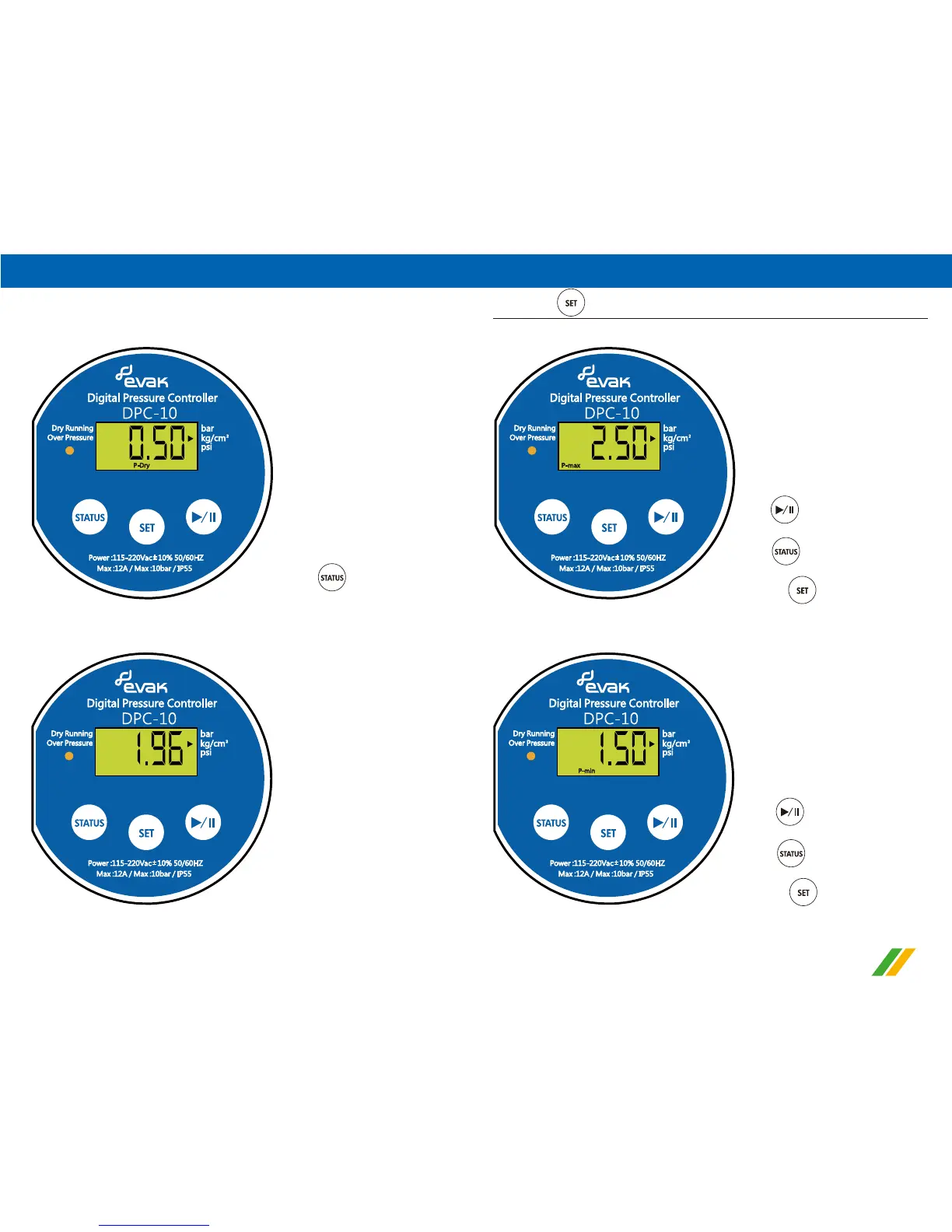
1).Max. pressure setting (high pressure) (Show code P-max)
3).Pressure of water shortage setting display (Dry running)
(Show code P-Dry)
4).Actual pressure status display
↓ Press again
b. Press once to enter basic setting
Press
to adjust the value upward
Press
to adjust the value downward
2).Min. Start pressure setting (low pressure) (Show code P-min)
↓ Press once
Press
to adjust the value upward
Press
to adjust the value downward
↓ Press once


 To Next Page