SOLUTION: Pour a full tank of clean, distilled water and let the device
completely dry out (this may take several times to remove the smell
completely)
PROBLEM: The device cannot connect to Wi-Fi
POSSIBLE CAUSE: Ensure the Connection mode (see pages 14-15)
is enabled and the Wi-Fi icon is blinking. Please, contact our support
team if you followed the steps carefully but that didn’t help
TECHNICAL SUPPORT
PROBLEM: Cold air does not come out of the device despite the
fact the cartridge is wet
POSSIBLE CAUSE 1: Humidity level over 70%
SOLUTION: Ventilate the room
POSSIBLE CAUSE 2: The cartridge has expired
SOLUTION: Replace the cartridge
PROBLEM: Cold air does not come out of the device and the cart-
ridge seems to be dry despite the fact the water tank is full
SOLUTION: Tilt the device slightly towards the water tank for a few
seconds or shake gently to get rid of the airlock. Please, contact our
support team if that didn’t help
PROBLEM: Device shows Low power icon or reboots at irregular
intervals.
POSSIBLE CAUSE: The device does not receive enough power
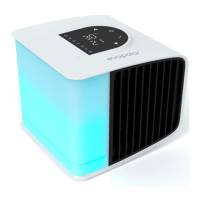
SOLUTION: Ensure the power source for your evaSMART is 2.5A 5V.
Please, contact our support team if that didn’t help
PROBLEM: The device suddenly started emitting an unpleasant
odor
POSSIBLE CAUSE: Impurities in water or air absorbed by the filter
TROUBLESHOOTING
21 22


 To Next Page