Set Exp Pdl Jack Set Bypass Mode
Toggles On or Off for each setting
Factory Default = Buffered
System Setup
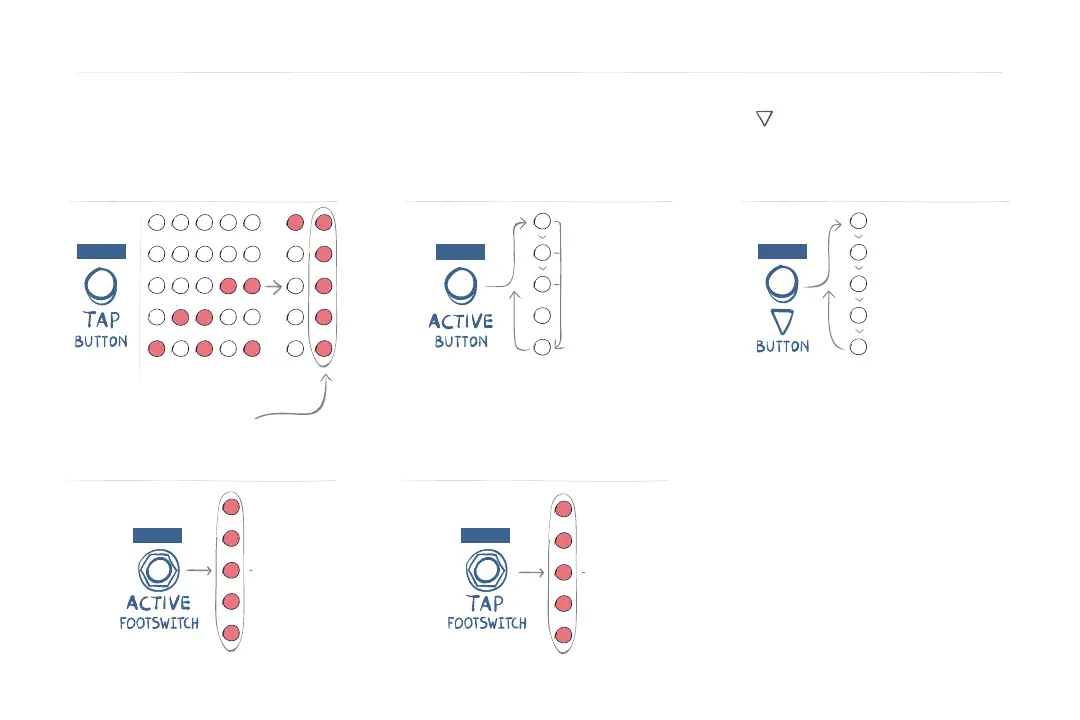
Set MIDI Channel
Set MIDI Clock
ON
1 2 3 4 5...
16
Set MIDI Channel: Click TAP Button
Default = Omni
BUFFER
RELAY
DSP+FX
KILL-DRY
PRESS
EXP (Default)
EXP + AUX
TRIPLE AUX
MIDI BOX
MIDI TRS
PRESS
Enter System Setup
To access these Global Settings, apply power while holding ACTIVE Footswitch and button.
Top two LEDs light when in System Setup. Changes are stored as they are made. Cycle power to exit System Setup.
Catch Up ON/OFF
ON
Factory Default = Off
PRESS
PRESS PRESS
[EXP+AUX]
TIP = Expression Pedal
RING = TAP TEMPO
[TRIPLE AUX]
TIP = Increment Preset
RING = Decrement Preset
TIP + RING = Load Preset
Note: Times out after a few seconds
[MIDI BOX]
Receive and Send MIDI via a MIDI
Converter Box (Tip Active)
[MIDI TRS]
Receive MIDI directly with a DIN
to TRS or TRS cable.
MIDI Clock disables Tap switch and CC9
Factory Default = Off



 To Next Page