7
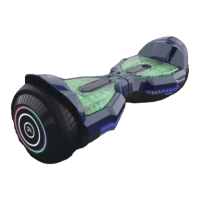
The display board is located in the middle of the EV2 Hoverboard.
• Green LED light indicates the device is charged above 20 percent.
• Red LED light indicates the power is down to 10 percent or lower.
When the LED light turns red, please recharge the device.
When riding the hoverboard, you must ensure you are
stepping on the foot mats. Do not step or stand on any other area of your
hoverboard.
Do not put items on the foot mats. Doing so will make the
EV2 turn on, and increase the probability of collision and cause injury to
people, riders, or damage the device.
STATUS INDICATOR
When the operator triggers the foot mats, the LED Status Indicator will
light up, which indicates that the EV2 Hoverboard is now ready for use.
When the system has an error during operation, the status LED light will
turn red (for more details see SAFETY ALERTS).
BATTERY INDICATOR
CHARGING YOUR EV2 HOVERBOARD
Your EV2 Hoverboard comes with a built-in lithium ion battery pack.
Be sure to charge the battery in a clean, dry location away from
direct sunlight, flames or sparks.
• Initial charge time: 6 hours.
• Recharge time: up to 2-4 hours.
• Please use only the original charger provided.
• Make sure that there is no dust, debris or dirt inside the port.
• Always charge the battery immediately after riding. Failure to recharge
battery periodically may result in a battery that will not accept a charge.
Https://www.LikeSporting.com


 To Next Page