(10) TIME ZONE:
You can set the time zone where you locate if you connect to network and enable time
synchronize.
(11) TIME UPDATE BY:
Once you enable the TIME SYNCHRONIZE, you can select the synchronization frequency by:
DAY MONTHWEEK
(8) TIME SYNCHRONIZE:
Select “ON”or “OFF” to enable or disable time synchronize which can let you have correct time
automatically when network is connected.
(9) TIME SERVER:
You can set the time server address where you locate if you connect to network and enable time
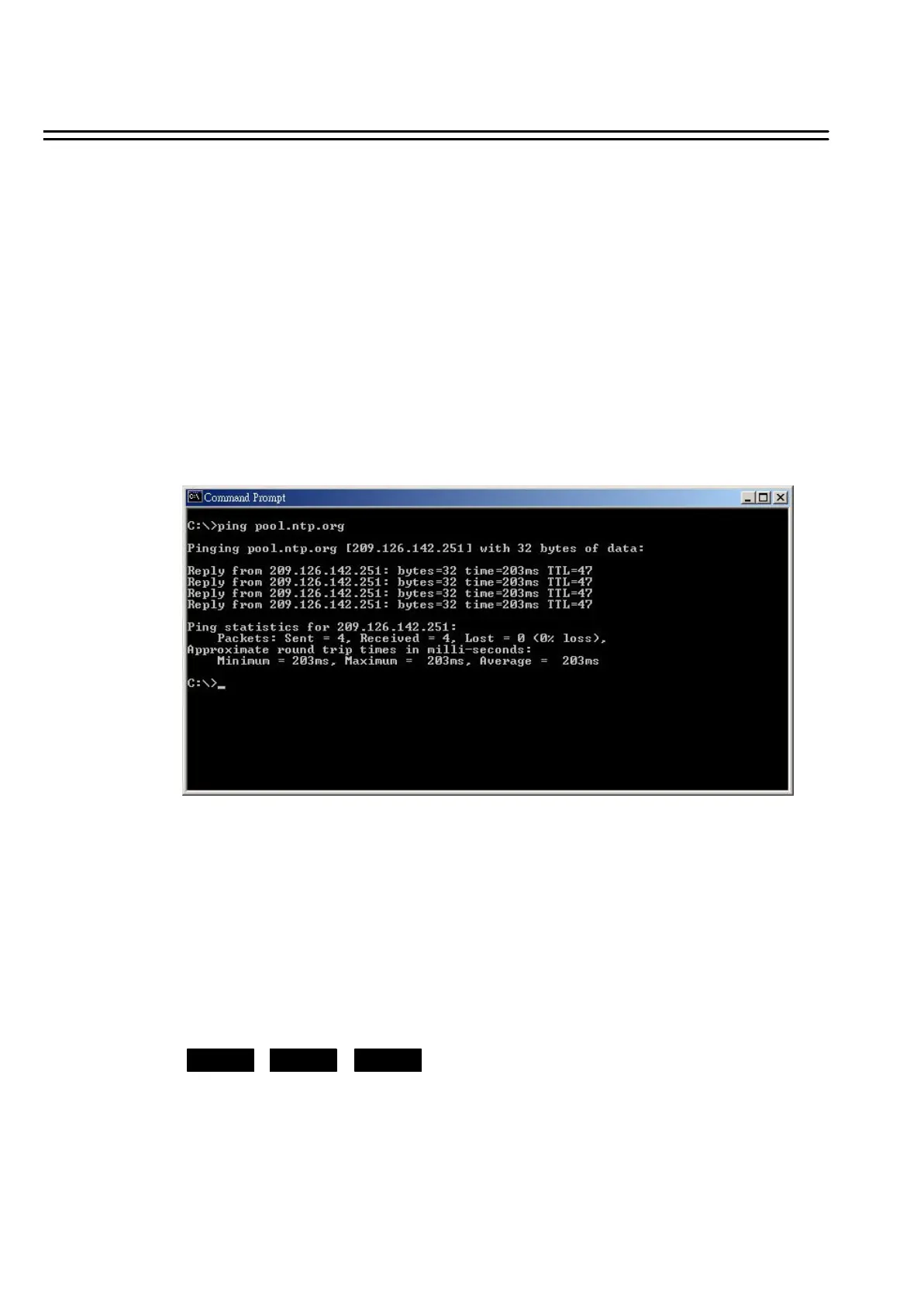
synchronize. For checking the IP address of NTP Server, please follow the steps:
1. Connect your PC to the internet for searching the IP address of NTP Server.
2. Go to “START” -> “RUN” -> type “Command”and press “OK”
Under Dos Prompt, type “C:\Ping Pool.NTP.ORG to find out the IP address of NTP Server.
31















 To Next Page