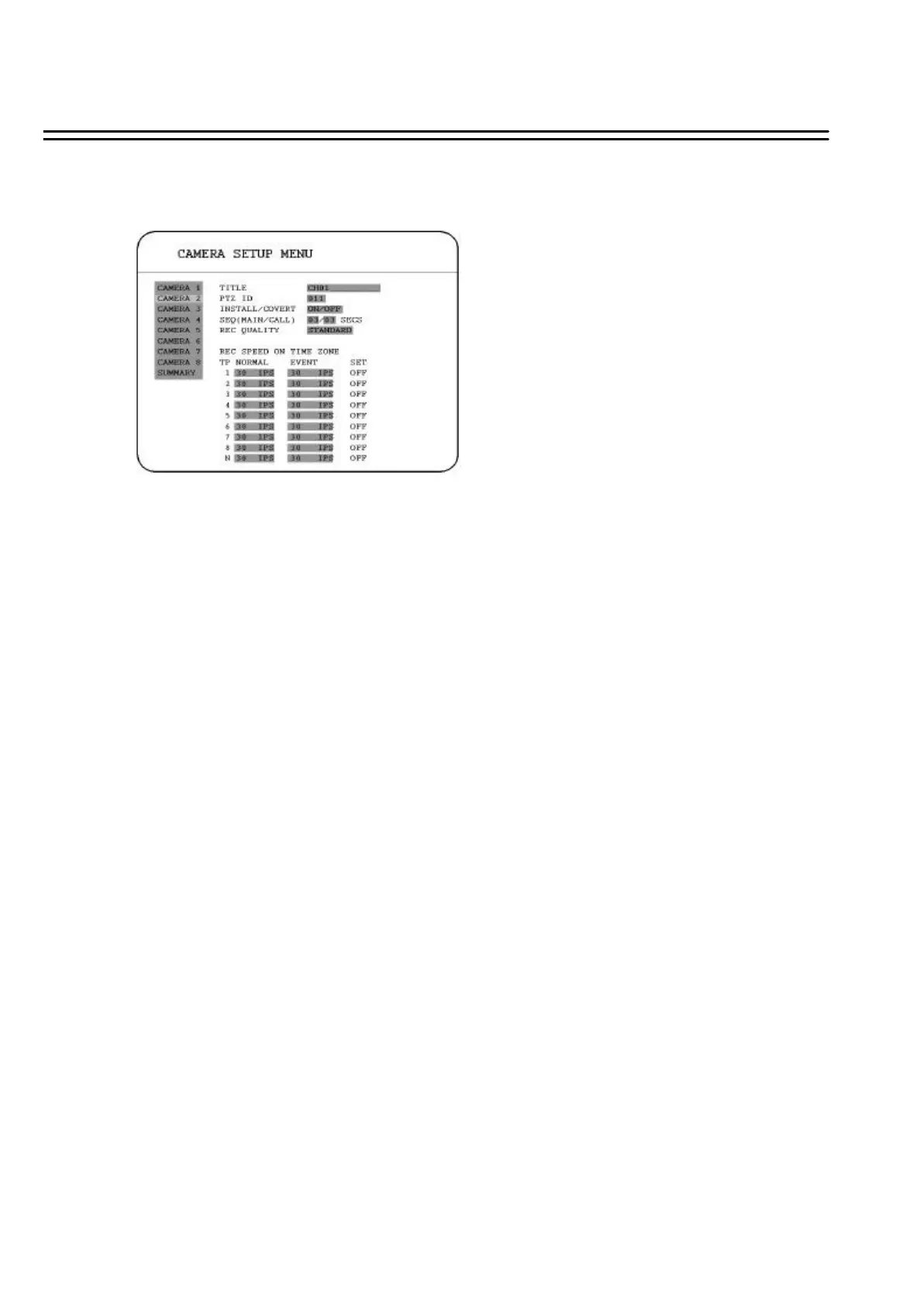
3.2 CAMERA SETUP MENU
In the CAMERA SETUP MENU, we define :
(1) TITLE:
The title setting allows you to assign a title to each camera input.
Titling with 12 characters is supported in each channel.
The available alphanumeric characters are:
0,1,2,3,4,5,6,7,8,9,
A,B,C,D,E,F,G,H,I,J,K,L,M,N,O,P,Q,R,S,T,U,V,W,X,Y,Z,
( ) . , + - / and an empty space.
(2) PTZ ID:Select PTZ ID from 001~255 or OFF. The default value is 10+N where N is camera’s
number. This ID must be the same as the ID used in PTZ Dip Switch.
(3) INSTALL/COVERT: For installation of camera; select “ON” to enable a camera, and “OFF” to
disable it. Please make sure to stop recording before making change of INSTALL. For covert, select
“ON”to cover a camera, and disable the screen in live mode to show up. However, the image is
recorded, and can be played back by user who has playback right. The covert channels will not show
up on the sequence mode.
(4) SEQ(MAIN/CALL): Setup a retention period for sequences.
32















 To Next Page