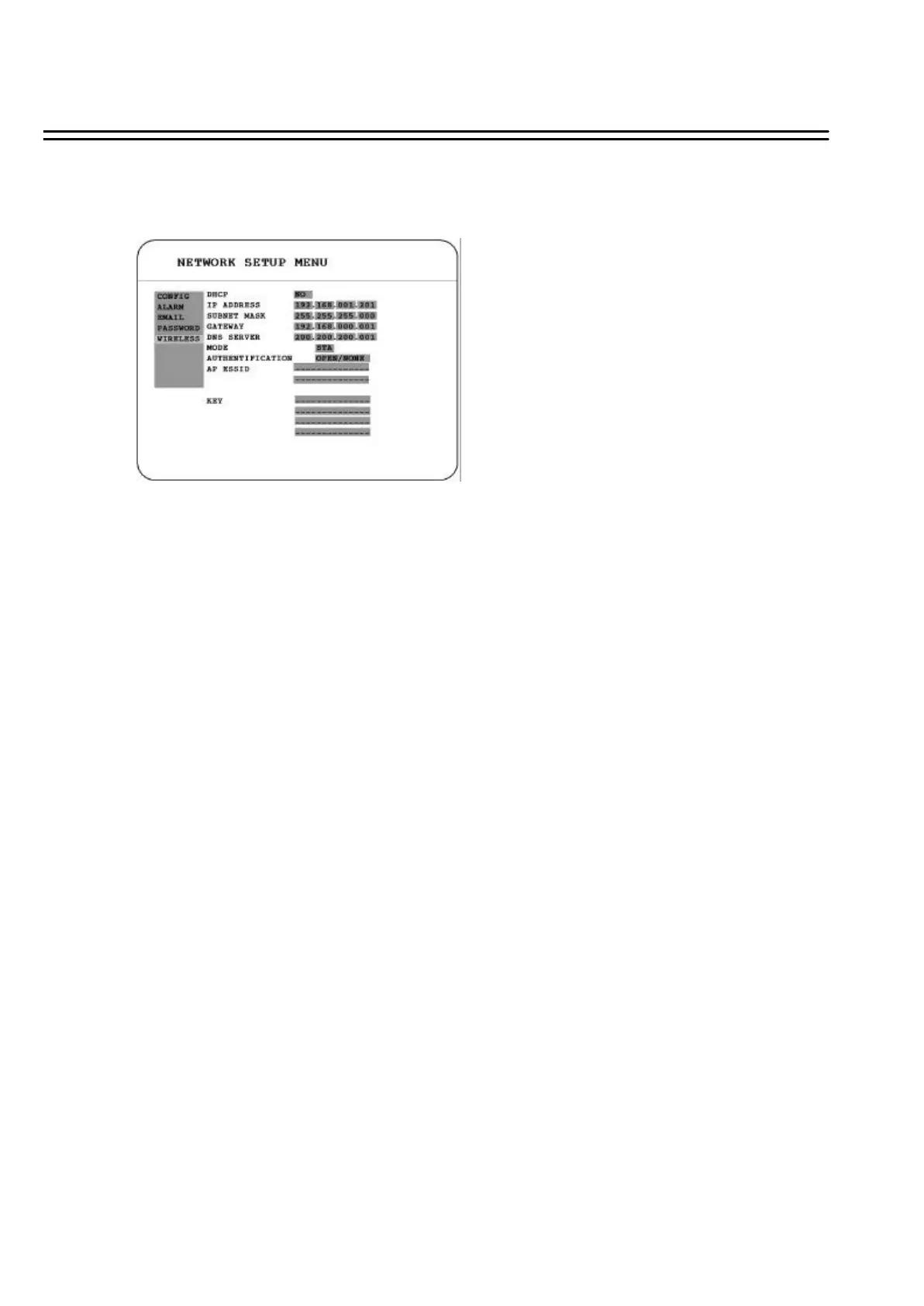
3.7.5 WIRELESS (This section is reserved for models that have WIRELESS function)
In the WIRELESS of the NETWORK SETUP MENU, we define :
(1) DHCP: Enable or disable the Dynamic Host Communication Protocol.
YES: Enable DHCP service.
NO: Disable DHCP service.
(2) IP ADDRESS: Assign an IP address for this unit, for example:192.168.010.200
When DHCP is YES, the DHCP server will assign this value automatically.
(3) SUBNET MASK: Assign a subnet mask of the network for this unit, for example:
255.255.255.0. When DHCP is YES, the DHCP server will assign this value automatically.
(4) GATEWAY: Assign a default gateway for this unit, for example:192.168.010.001
When DHCP is YES, the DHCP server will assign this value automatically.
(5) DNS SERVER:Assign a DNS server for this unit, for example: 168.195.001.001
When DHCP is YES, the DHCP server will assign this value automatically.
(6) MODE: STA (Station).
(7) AUTHENTIFICATION:
Select from OPEN/NONE, OPEN/WEP,SHARED/NONE, SHARED/WEP orWPAPSK/TKIP.
(8) AP ESSID: Enter the SSID of AP to be connected.
(9) KEY: Password of the AP.
48















 To Next Page