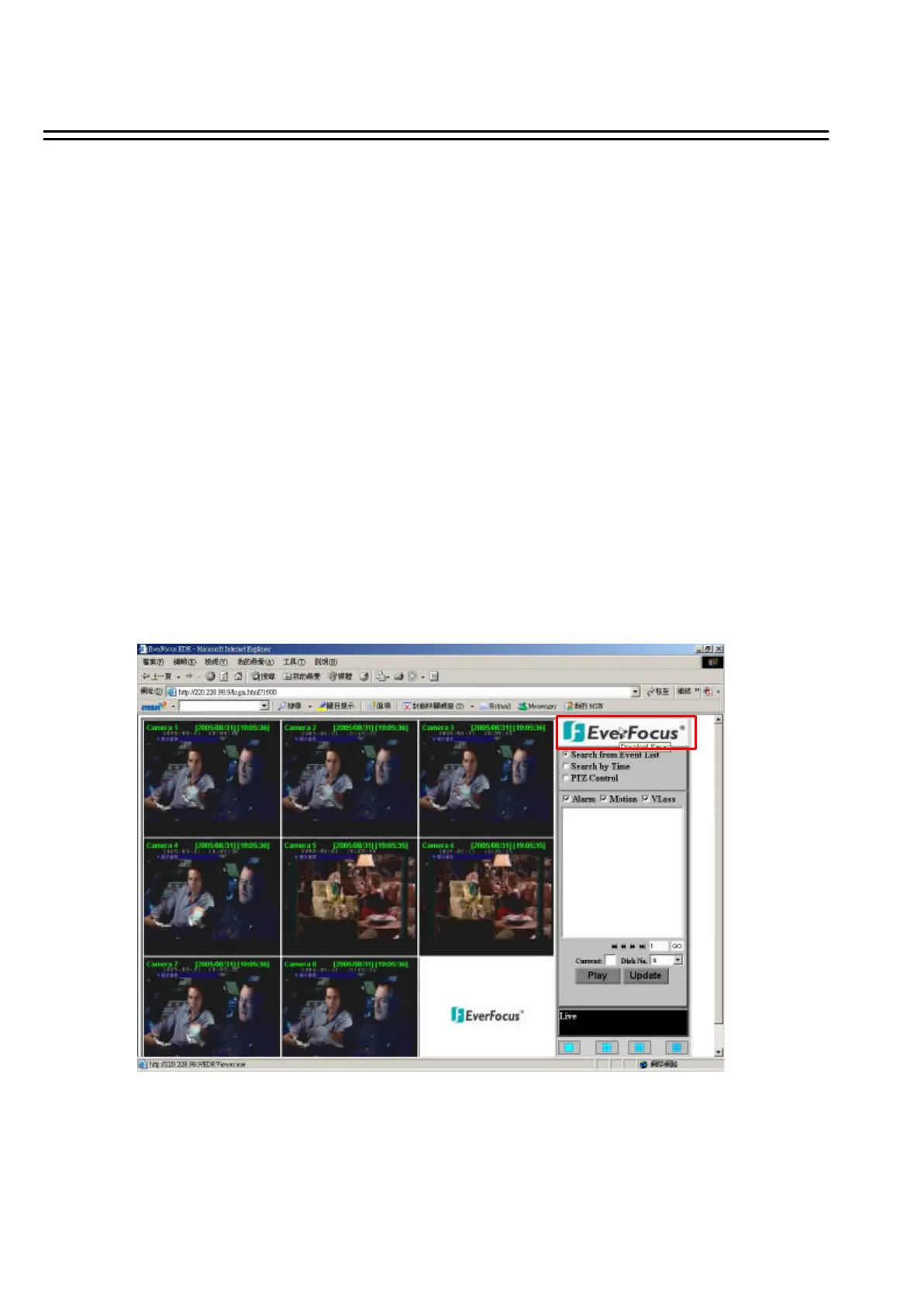
8. Events to be searched: Alarm, Motion and Vloss.
9. All available events are shown in the list. Select the desired event and it will be highlighted.
10. Click on “Play”to playback selected video event.
11. Press “Update”to refresh the event list.
12. Current connection and playback status are shown along with date and time.
13. Full screen view.
14. Quad screen view.
15. Nine split screen view.
16. A pop-up menu to select camera to view will be shown by right-clicking the mouse.
17. Download viewer
76
I. To download viewer, press “EverFocus”logo on the right top corner of the screen.















 To Next Page