EAN800A/EAN800AW
25
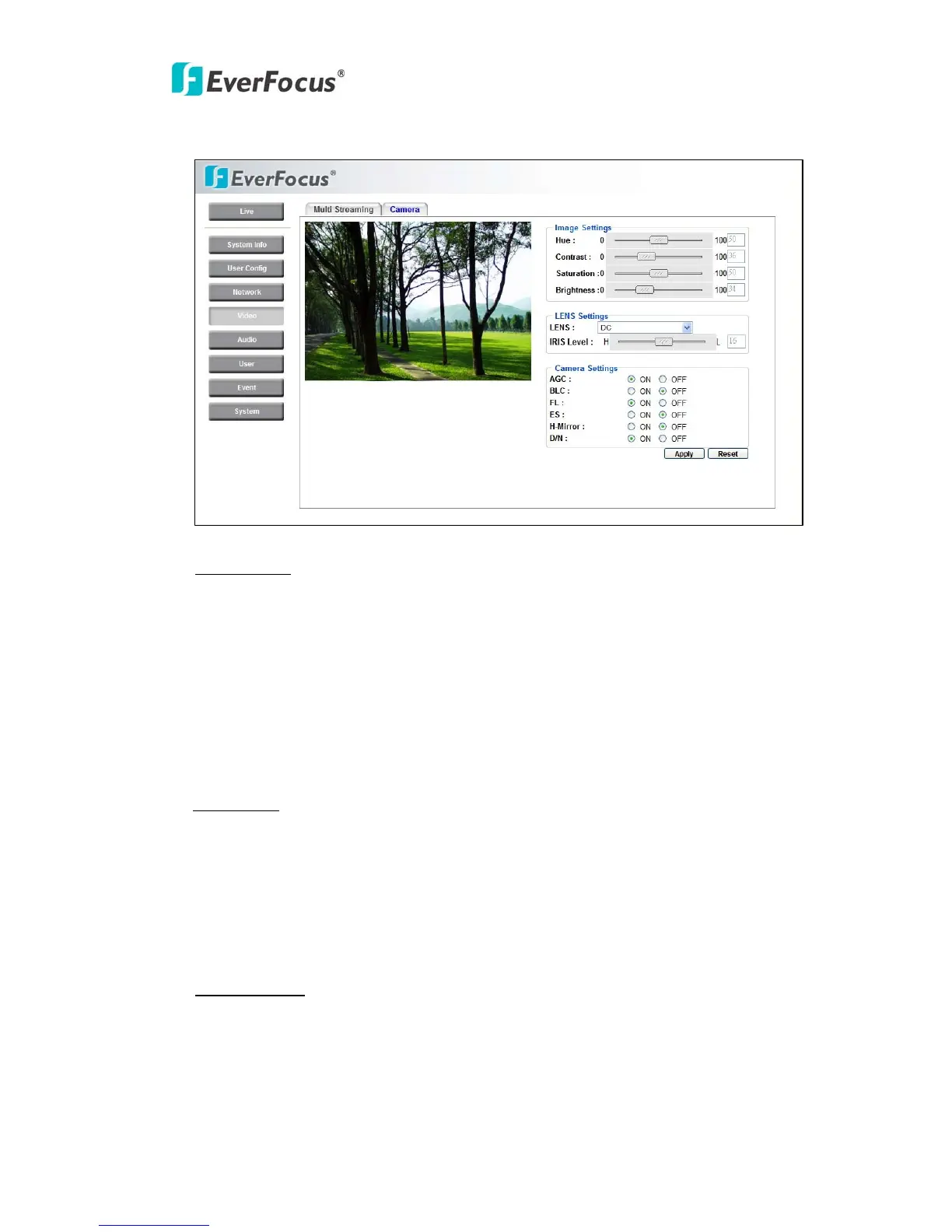
4.4.2 Camera
Image setting
Hue: to increase or decrease hue of video images. It is adjustable from 0~255.
Contrast: to increase or decrease object contrast of images. It is adjustable from
0~255.
Saturation: to increase or decrease color saturation of video images. It is
adjustable from 0~255.
Brightness: to increase or decrease object contrast of images. It is adjustable
Brightness from 0~255.
Lens Setting
LENS: Select DC or Fixed of the lens type used for camera.
DC: DC driven Lens
Fixed: Manual Lens
IRIS setting: to manually adjust IRIS level of Lens when selecting DC driven
Lens. It's adjustable from 0~31.
Camera Setting
AGC: Select ON or OFF for Auto Gain Control.
ON: when illuminance becomes darker, gain will automatically be incremented
and screen will become brighter.
OFF: Gain will not be incremented.



 To Next Page