EAN800A/EAN800AW
35
An example on how to set weekend as time mask is as follows:
1. Click
from time mask setting.
2. Enter Mask name, e.g. Weekend.
3. Check “Sun” & “Sat” boxes.
4. Select “Start time” and “End time” or “Full day”.
Press Apply to apply the setting changes or Reset to reset without saving the
change.
4.8 SYSTEM
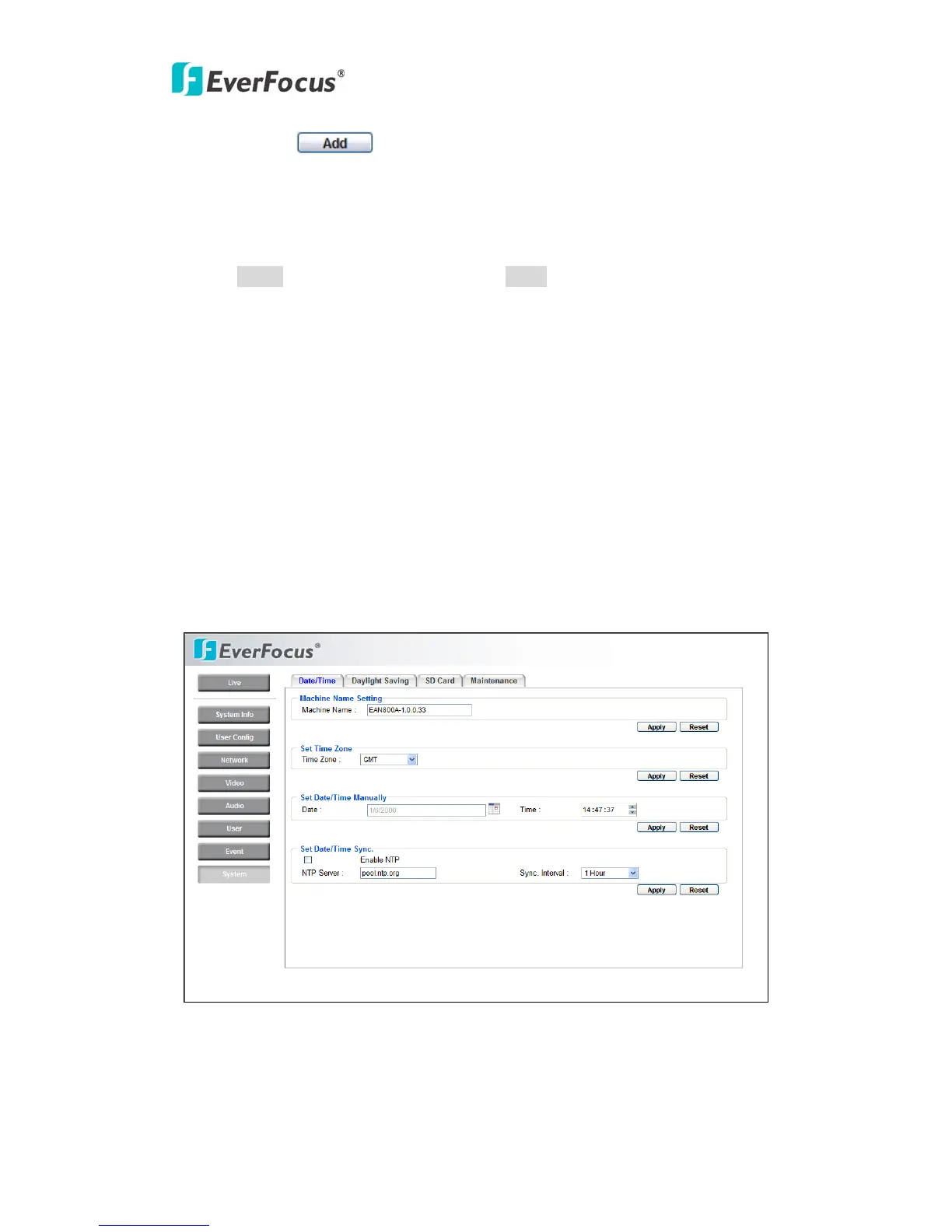
Date/Time, Daylight Saving, SD card and Maintenance settings can be performed
on this page.
The "System" page has 4 tabs of the [Date/Time] tab, the [Daylight Saving] tab,
the [SD card] tab and the [Maintenance] tab.
4.8.1 Date/Time



 To Next Page