ED710/730 Ultra 720+ TVL Dome Camera
12
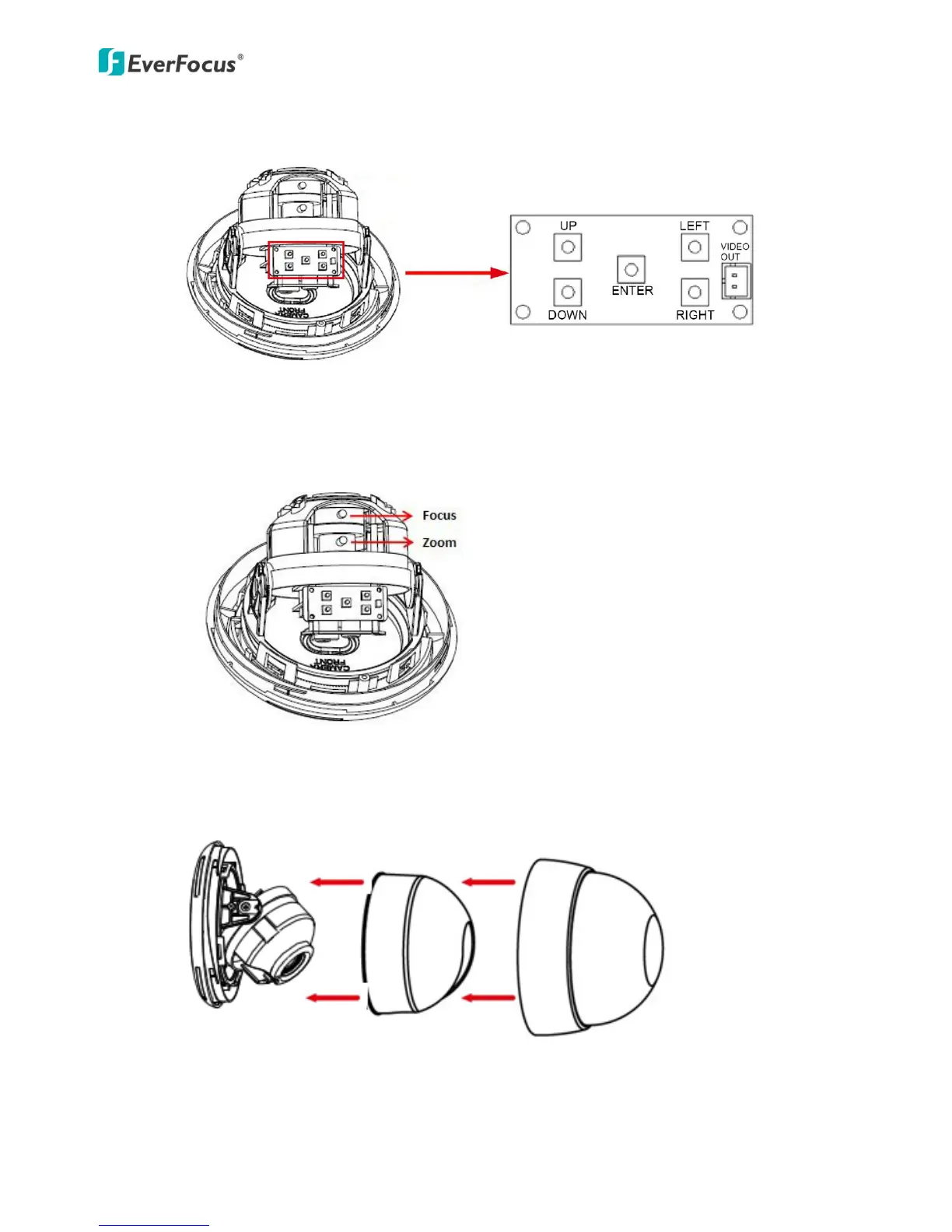
c. To configure the OSD Menu, using the function button.
d. To adjust the Zoom / Focus, using the Zoom / Focus screws. Tighten the zoom /
Focus screws using the supplied screwdriver.
9. Put the liner back and secure the camera cover cap back to the camera.



 To Next Page