ED710/730 Ultra 720+ TVL Dome Camera
9
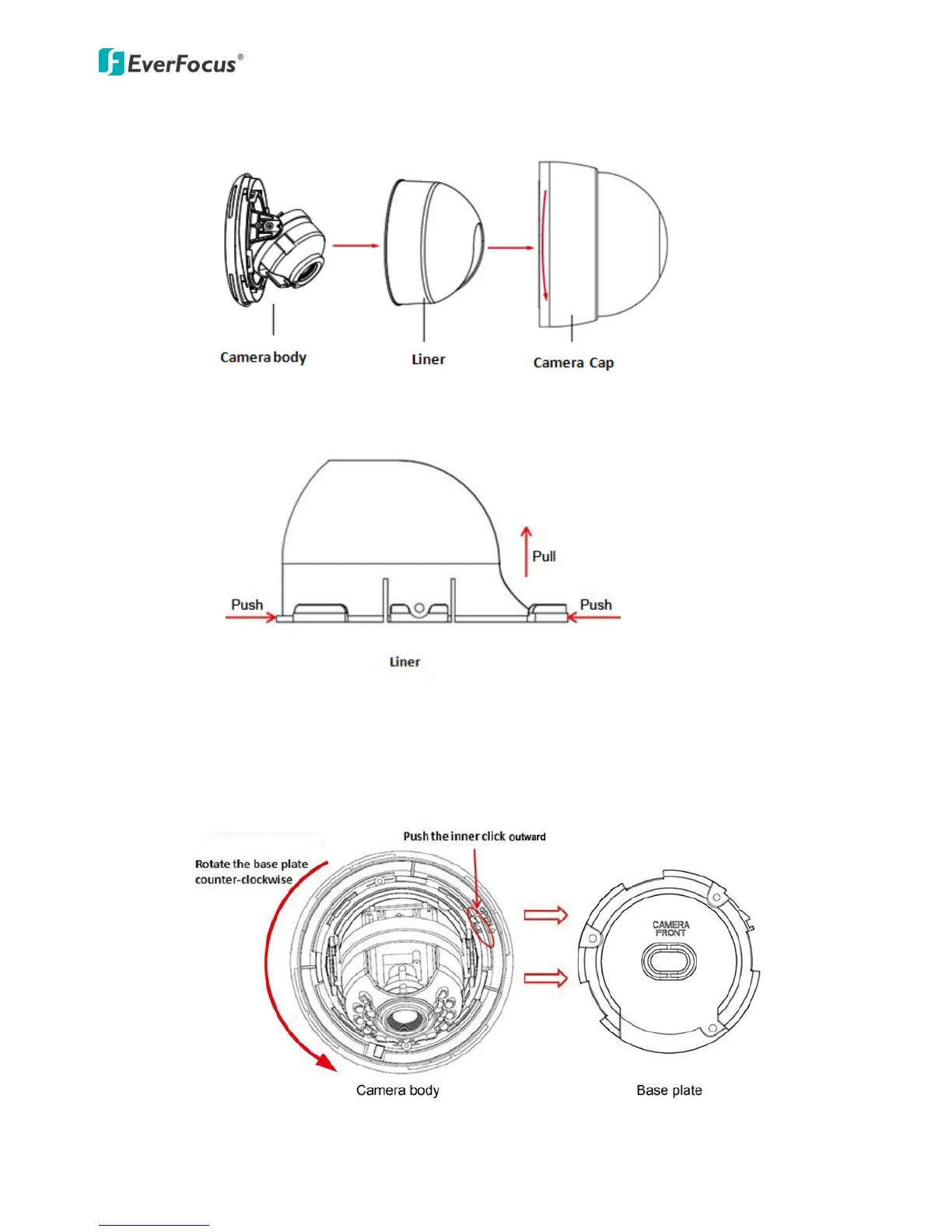
3. Rotate counter-clockwise to remove the camera cap, press and pull to remove the liner.
Remark: Hold the liner with one hand, press and pull to remove the liner (refer to the “arrow”
label which marked to the liner)
4. Push the inner click outward and rotate the base plate counter-clockwise, then remove
the camera body from the base plate. (See the yellow arrow label on the camera)



 To Next Page