ED710/730 Ultra 720+ TVL Dome Camera
10
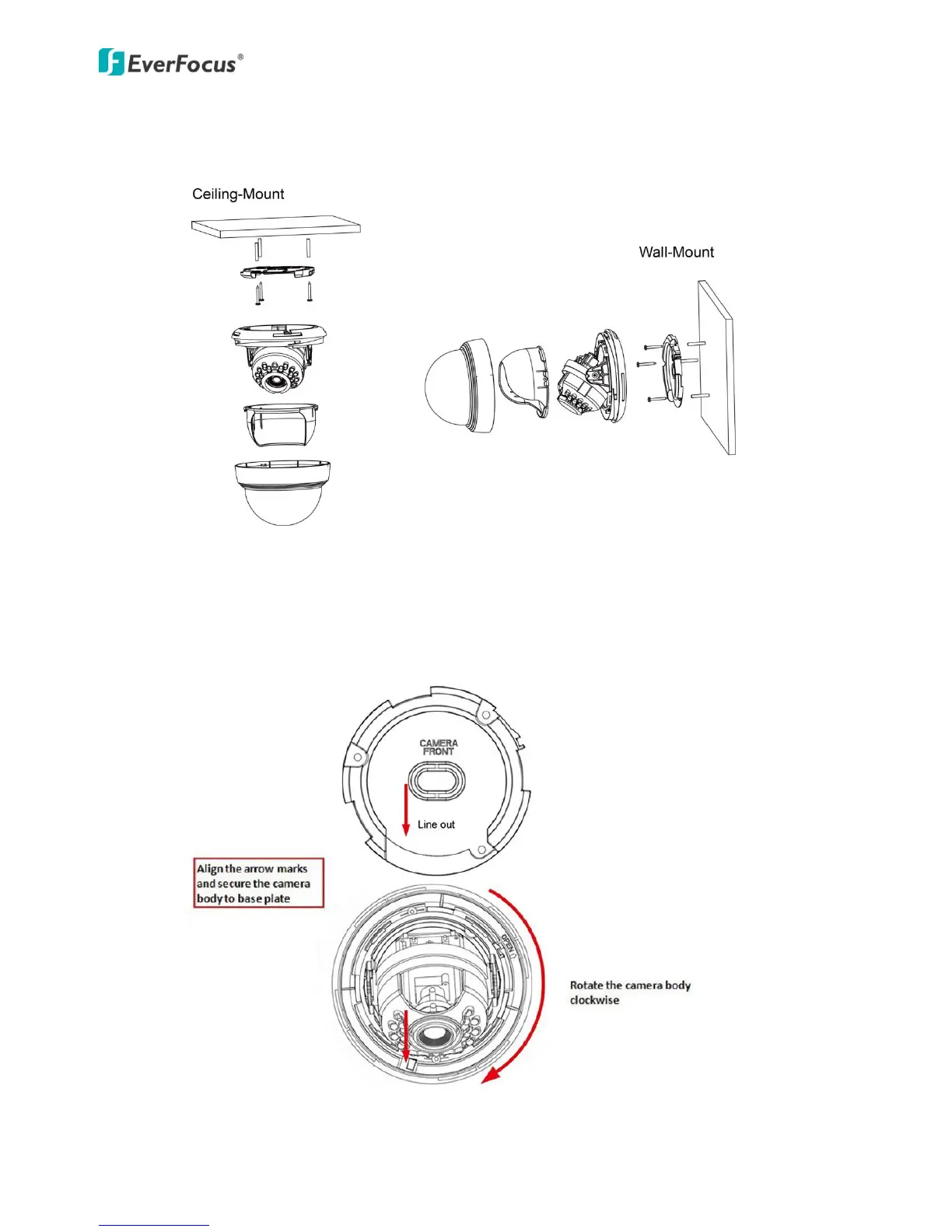
5. Screw the base plate to the wall / ceiling using the supplied three screws. Note that if you
want to wire the cables through the wall / ceiling, break the middle part of the base plate.
6. To lock the camera body back to the base plate, align the arrow marks and rotate the
camera body clockwise. A “click” sound should be heard when the camera body and the
base plate are firmly locked. (See the direction arrow labels on the camera)



 To Next Page