AUTO EXTN (Extension) – Around 2300 to 10800°K
PRESET – Use a pure white background to preset the white balance value.
MANUAL COLOR TEMP – Use the and buttons to adjust the speed. The options
include: LOW, MIDDLE and HIGH
R-GAIN and B-GAIN –The options include: 0~20.
CHROMA
Use the and buttons to increase or decrease the CHROMA from 0 to 20.
R-OFFSET/B-OFFSET
Use the and buttons to increase or decrease the Red and Blue offset from 0 to 20.
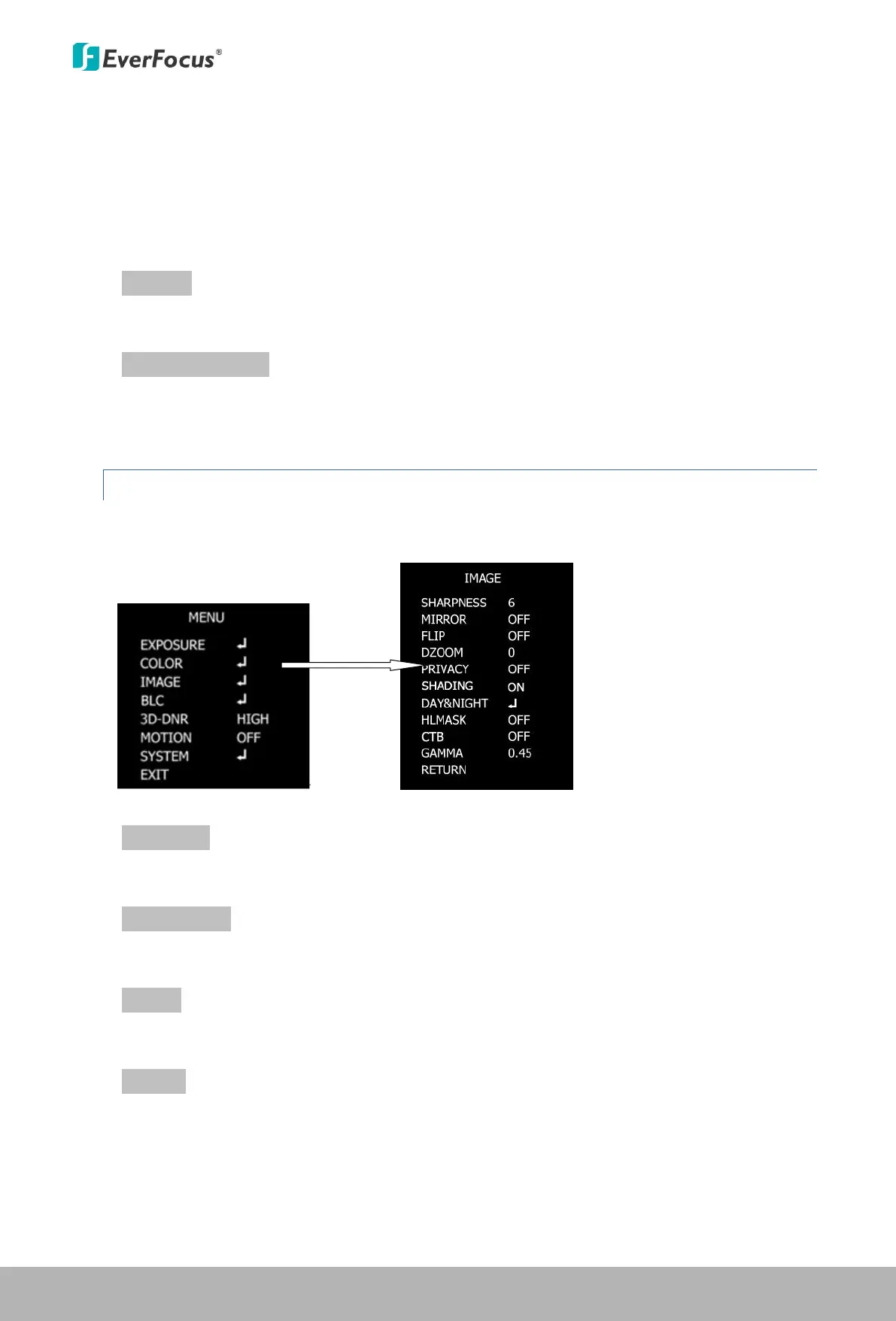
4.1.3 Image
Press the Enter / Confirm button to enter the submenu.
SHARPNESS
Use the and buttons to increase or decrease the SHARPNESS from 0 to 10.
MIRROR / FLIP
Turn it on to reverse / flip the image.
DZOOM
Turn it on to set up the zoom level
PRIVACY
Enter the submenu to set up the privacy masks; up to 31 zones can be created:
ON ZONE NO: Use the and buttons to select the zone from 0 to 31.
This Manual:http://www.manuallib.com/everfocus/eqh5102-mini-ir-bullet-camera-manual.html


 To Next Page