3. Installation
3.1 Installation and Adjustment
1. Paste the supplied mounting template onto a desired location on the wall and then drill
the three cross marks. For ceiling‐mount installation, you can ignore this step.
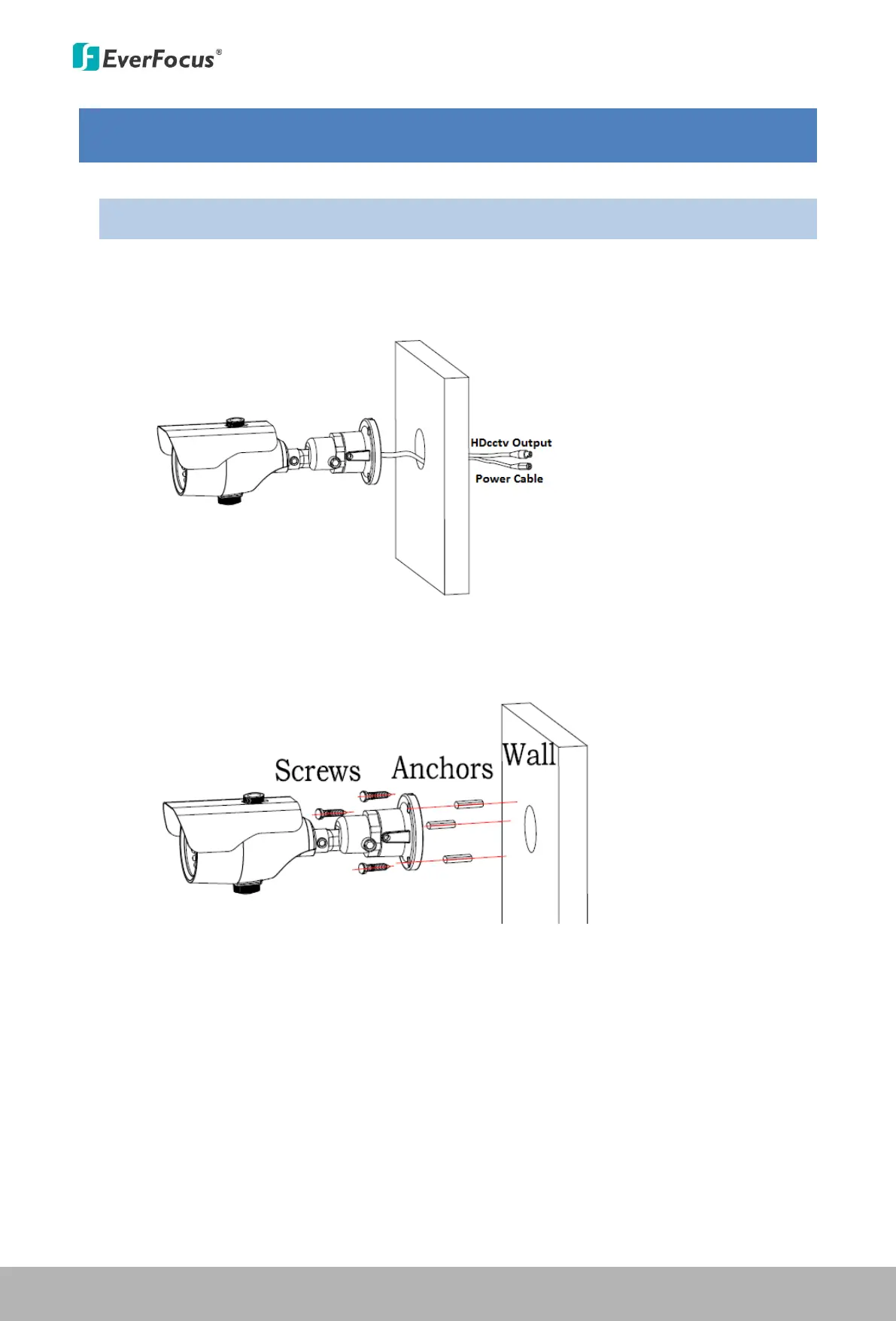
2. Drill a hole on the wall / ceiling if you want to wire the cables through the wall.
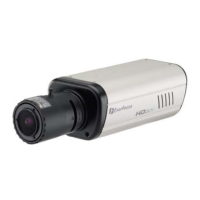
3. Screw the camera to the wall / ceiling.
Wall‐Mount: Plug the supplied anchors into the three holes, attach the camera to the wall
and then screw the camera to the wall using the three supplied screws.
Ceiling‐Mount: Attach the camera to the ceiling and then screw the camera to the ceiling
using the supplied three screws.
This Manual:http://www.manuallib.com/everfocus/eqh5102-mini-ir-bullet-camera-manual.html


 To Next Page