48
Auto Cooking (AUTO) Function
Auto cooking function allows the stove to be operated at full power
for a specic period of time as per the cooking level selected.
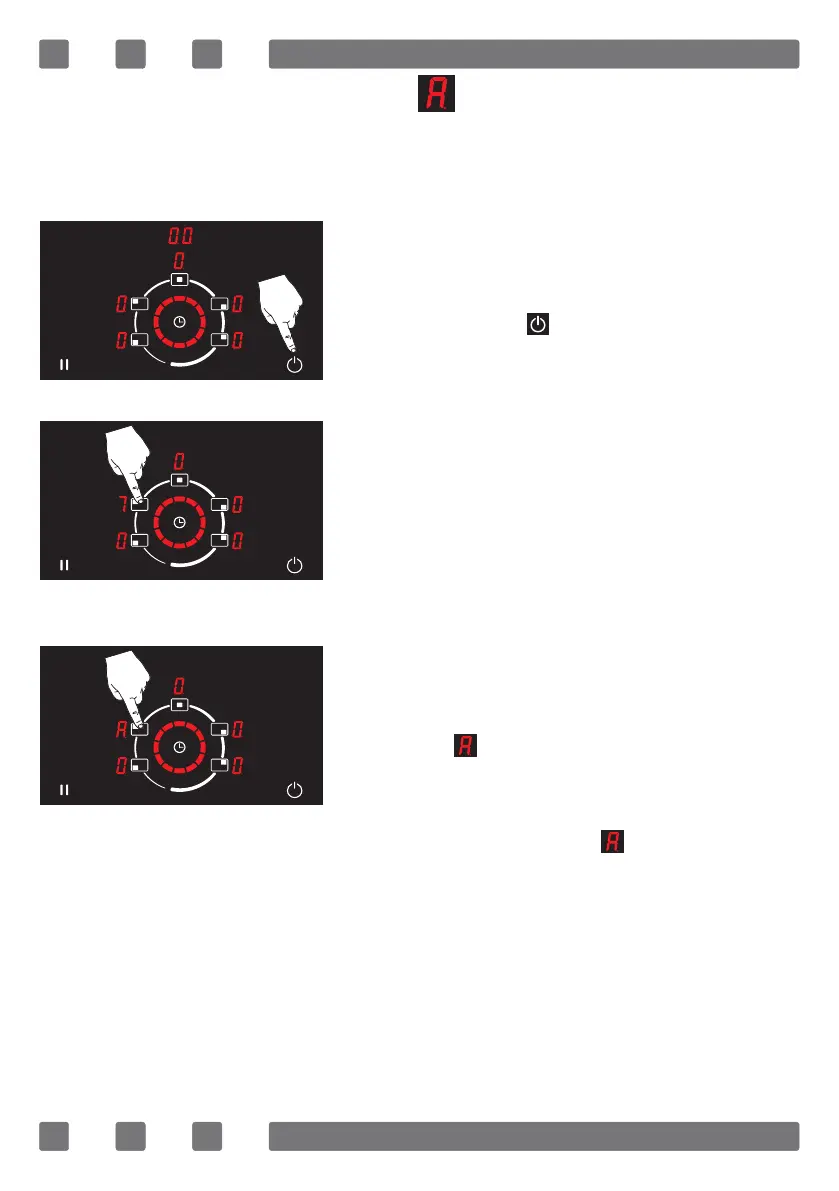
To activate the auto cooking (AUTO) function;
The appliance is turned on by pressing
the on/o key ( ). (See Fig. 32)
The cooking area is selected to make auto
cooking. (See Fig. 33)
The selected cooking area is adjusted to
the required temperature level between
1-8 and the relevant cooking area is
pressed until the auto cooking function
symbol ( ) is activated on the display.
After the auto cooking is activated, the
set temperature level and the auto cook-
ing function symbol ( ) are displayed
successively. (See Fig. 34)
Figure 34
Figure 32
Figure 33



 To Next Page