

EasyManua.ls Logo

Everlast PD1 - User Manual

Everlast PD1
16 pages
Print Icon
To Next Page IconTo Next Page
Loading...
ENGLISH l 1
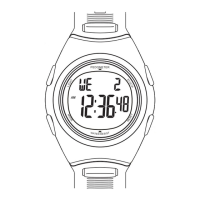
PD1-Pedometer Watch
USER’S MANUAL
Question and Answer IconNeed help?

Do you have a question about the Everlast PD1 and is the answer not in the manual?

Summary

Introduction

Basic Operation of Buttons

Mode Button

Controls mode scrolling and advances setting variables.

Adjust;EL Button

Activates light and enters setting sequences.

Start;Stop Button

Increases values in settings; starts/stops stopwatch/timer.

Reset Button

Decreases values in settings; toggles key tone.

Operating Modes Overview

Time Mode

Displays date, week, hour, minute, and second.

Pedometer Mode

Shows steps, distance, calories, exercise time, speed, and target icons.

Data Recall Mode

Displays daily/total data for the past 7 days.

Stopwatch Mode

Functions as a 1/100 chronograph.

Countdown Timer Mode

Supports a total countdown range of 100 hours.

Alarm Mode

Provides an optional function for two alarms.

Setting Your Pedometer

Personal Information Setup

Guides setting age, unit, weight, stride length, and target steps.
Calculating Stride Length

Operating the Time Mode

Operating the Pedometer Mode

Operating the Data Recall Mode

Operating the Stopwatch Mode

Operating the Countdown Timer Mode

Operating the Alarm Mode

Battery Replacement

Care and Maintenance & Clearing

Everlast PD1 Specifications

General IconGeneral
BrandEverlast
ModelPD1
CategoryWatch
LanguageEnglish