31
SEASONING
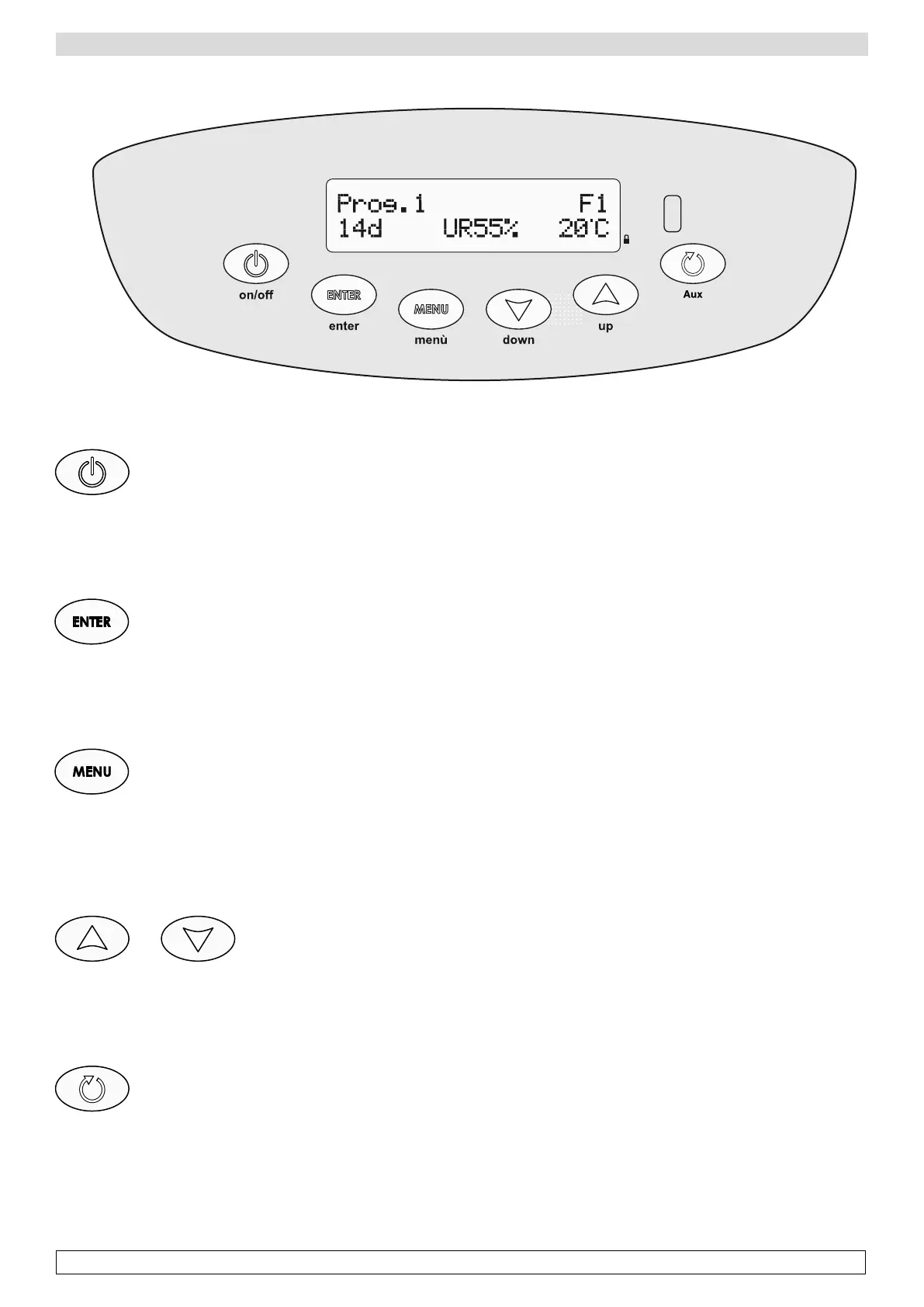
Electronic control panel description
ON/OFF Button
Switching the cabinet on and off.
-Switching on: press ON/OFF once
-Switching off: press ON/OFF for 3 seconds to turn off the cabinet; the display shows the label OFF
Enter Button
Confirmation of a value or access to a submenu.
-Activate/deactivate the extractor fan: press the Enter button for 3 seconds
The activation of the fan is forced to allow air recycling inside the cabinet
Menù Button
Access to the main menu and to each submenu.
-Keyboard blocked: press the Menu button for 3 seconds; the display shows a white S on a black screen on the right side of the display
When the keyboard is blocked, you can deactivate the buzzer in case of alarm.
-Activate the keyboard: press again the Menu button for 3 seconds.
Up Down Button
Scrolling up and down menus and parameters values during the modification.
-Reset current cycle: press the down button for 3 seconds to restart the cycle from phase 1
-Visualization of ending date and time of running program: press the up button
Aux Button
Switching on the internal light
-Rest period activation: press the button for 3 seconds
Enabling a period of rest (if selected) manually during the phases of the period of time pre-set in the specific phase.








 To Next Page