27
ENGLISH
10.5 PROGRAMS:
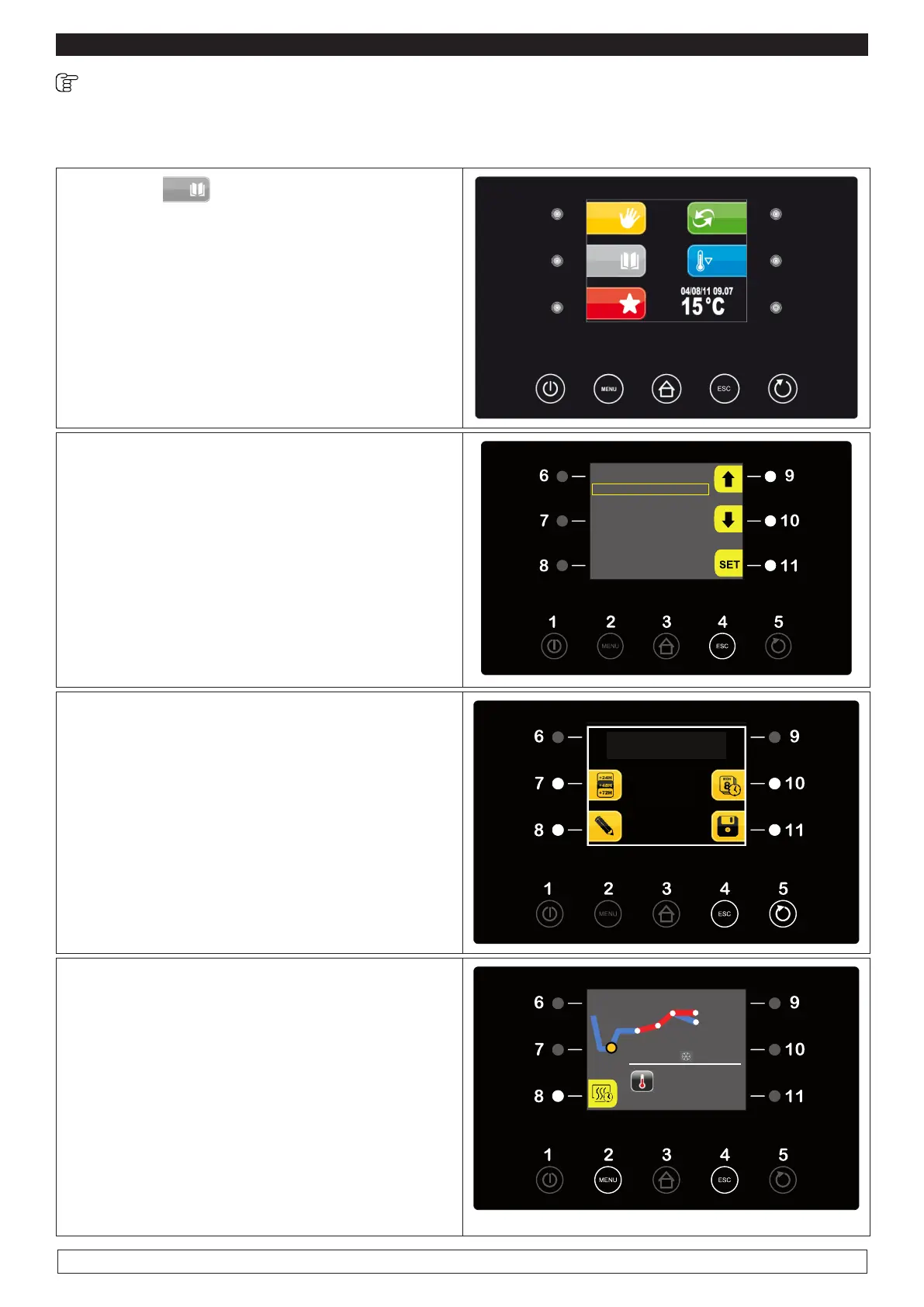
The PROGRAMS menu allows you to select a retarded proong cycle among the 10 available
programme locations.
► Press key PROGRAMS (7)
7
► Press the UP-DOWN keys (9-10) to scroll down
the list
► Press the SET key (11) to select the desired
program.
► Press the START/STOP key (5) to start the se-
lected program or
PROGRAMS
P01 BREAD 100G
P02 BREAD 300G
P03 BREAD 500G
P04 <free>
P05 <free>
P06 <free>
P07 <free>
► Press the CHANGE VALUES key (8) to modify
the SETs of the different phases (see Par. 10.4
page 20)
The screen shows the day and time for end of
stroke and four selection options
-Hourly (7) time slot +24 +48 +72
-Clock (10)
-Pencil (8)
-Save data (11)
► Press the START/STOP key (5) twice to start
the selected program
► The display will show the current status of the
running PHASE , the current end-of-cycle date
and the temperature.
► Press the (8) key to deactivate the DELAYED
BAKING phase. The same options of the AU-
TOMATIC CYCLE will be available by pressing
the MENU key (2) during the running of a PRO-
GRAM (Chapter10.4 page 20)
PHASE 1
25 °C
END CYCLE THU 08/01 17:47
END CYCLE
MON 30/12/13 12:00








 To Next Page