36
ENGLISH
10.12 USB Host Port
By inserting a USB stick you may have the possibility to carry out the following operations:
► Download the data relative to the cycles performed on the USB stick (historical records)
► Download the saved parameters onto the USB stick (service)
► Download the saved programs onto the USB stick (service)
► Upload the parameters contained in the USB stick (service)
► Upload the programs contained in the USB stick (service)
10.13 Download of data relative to the cycles performed on the USB stick (historical
records)
It allows to record the data relative to the performed cycles onto the USB stick and view them on
any PC by means of Excel computer program.
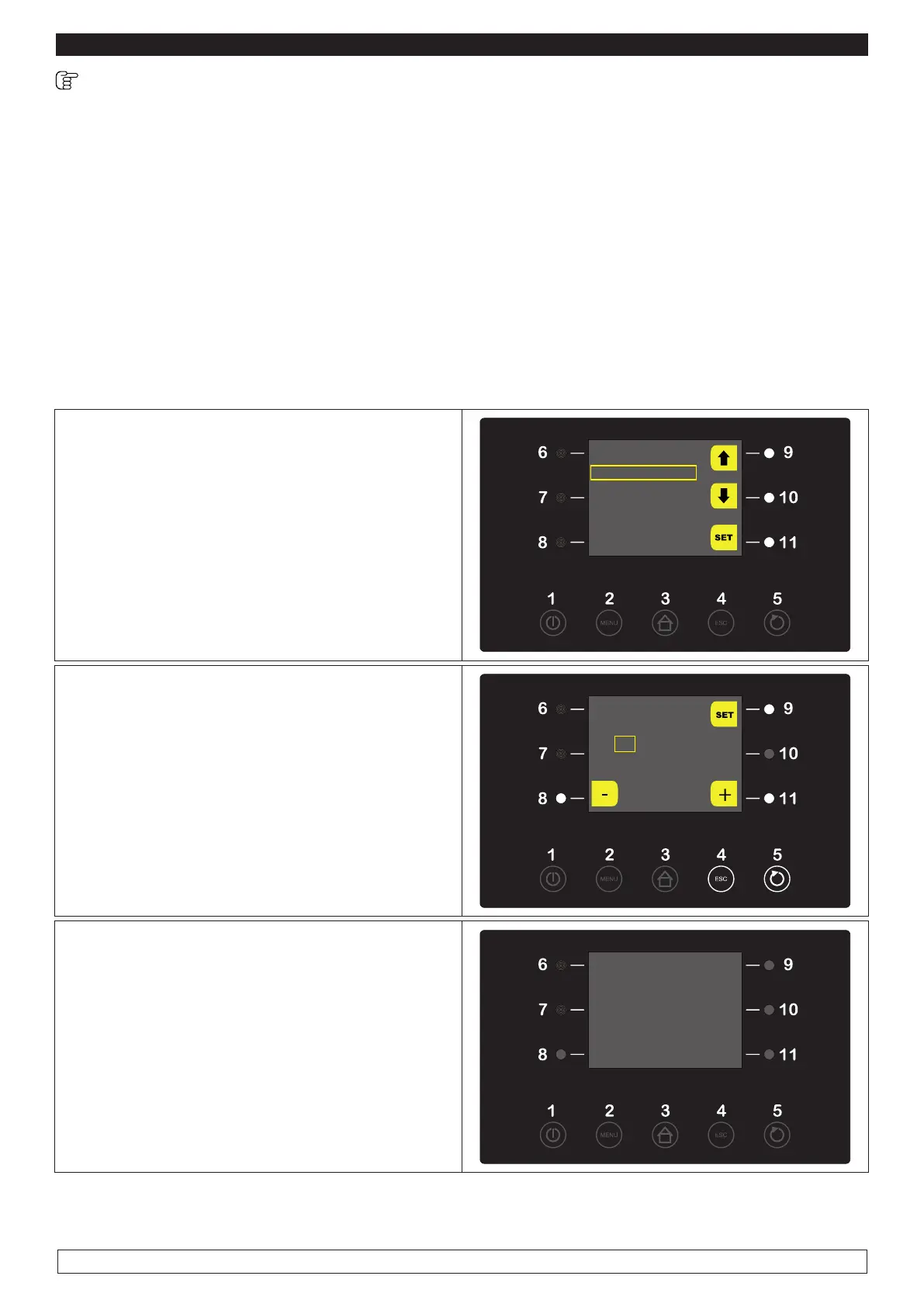
► If ON put the card in STAND-BY mode by
pressing the ON/OFF key (1)
► Insert the USB stick into the USB host port
► Select with the UP-DOWN keys (9-10) the
DOWNLOAD HISTORY menu then press the
SET key (11)
USB
DOWNLOAD HISTORY
DOWNLOAD PARAMETERS
DOWNLOAD PROGRAMS
UPLOAD PARAMETERS
UPLOAD PROGRAMS
► Select with the – and + keys (8-11) date and
time
► Press the SET key (9) to confirm
SELECT
DATE AND TIME
09 / 01 / 15
13.44
► Press the START/STOP key (5) to download
data relative to performed cycles onto the USB
stick.
► When the operation is over take out the USB
stick. This option saves a text file (CSV) onto the
USB stick that may be displayed on any type of
PC fitted with EXCEL program
USB
DOWNLOAD HYSTORY
END
REMOVE KEY
The download le will be a CSV format, i.e. it can be simply open with a double click by any computer
tted with Excel program.








 To Next Page