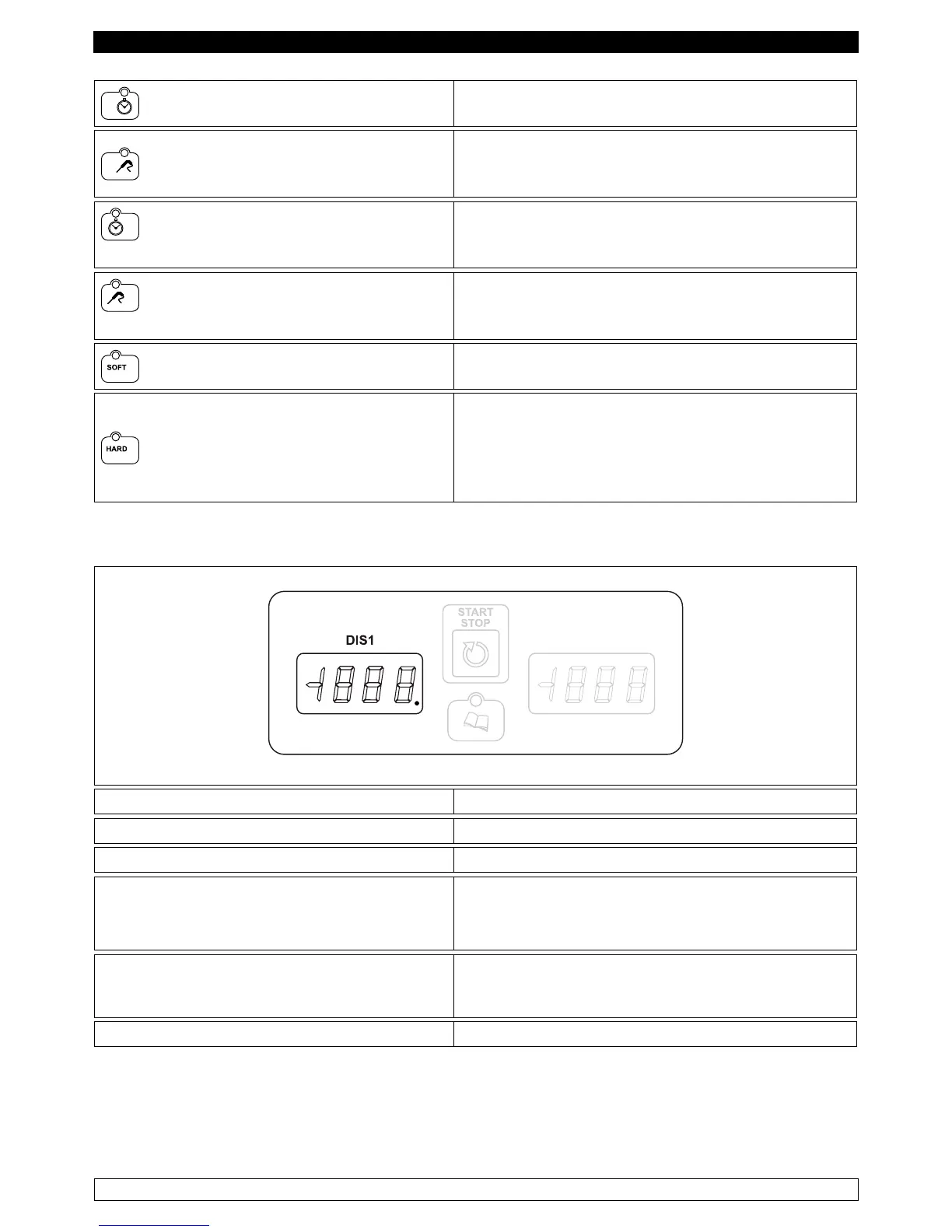
TIME FREEZING
With card in STANDBY: pressing once selects a
negative blast chilling cycle (freezing) with time.
TEMPERATURE FREEZING
With card in STANDBY mode: pressing once
selects a negative blast chilling cycle (freezing)
with temperature.
BLAST CHILLING WITH POSITIVE
TEMPERATURE WITH TIME
With card in STANDBY: pressing once switches
the selected blast chilling cycle corresponding to
the time.
BLAST CHILLING WITH POSITIVE
TEMPERATURE
With card in STANDBY: pressing once switches
the selected blast chilling cycle corresponding to
the temperature.
SOFT
With card in STANDBY: pressing once selects a
positive blast chilling cycle SOFT.
HARD
With card in STANDBY: pressing once allows you
to select a positive blast chilling hard cycle. With
hard cycle selected: press continuously for ve
seconds to display the cell setpoint of the second
phase of the cycle.
Temperature display
► With card in OFF: displays the label OFF.
► With card in STANDBY: displays the temperature in the cell.
► After a power outage: displays the ashing label PF.
► With a cycle selected:
displays the cell setpoint for the selected cycle.
In setting/selection programs:
displays the label for the selected program.
► With a defrost cycle is in progress:
displays the label DEF.
In parameters setting:
displays the label for the parameter.
► With HACCP history display: displays information about the history
NOTE:The dot DIS1 of the right digit lights up to signal the input of a new alarm in the history.


 To Next Page