3 Software
30/ 106 e’line User Manual | © Eversys AG
3.2 Main screen
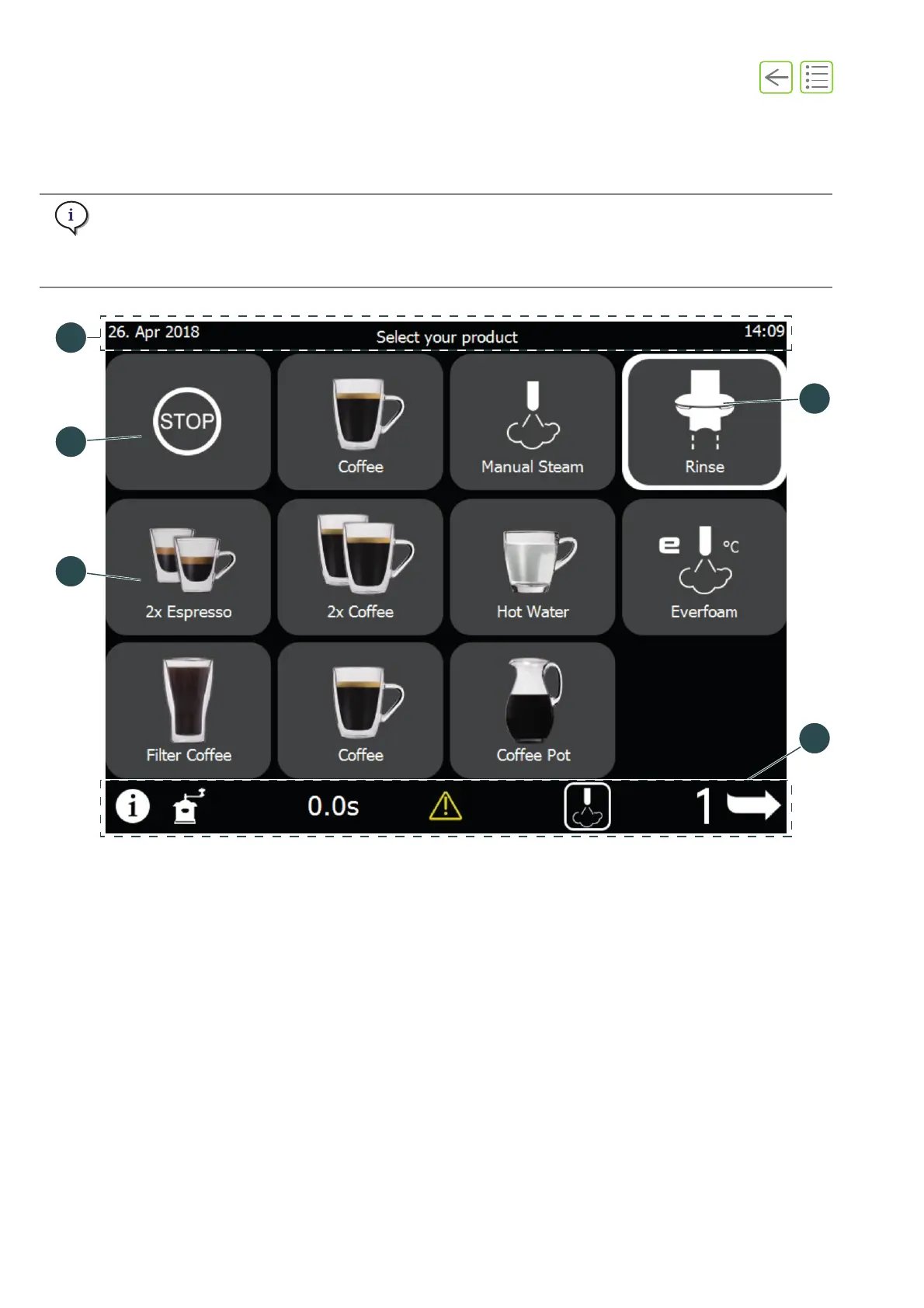
The main screen offers access most of the software functions and coffee products.
The display of products and buttons depends on the settings.
A blinking button indicates that the user needs to perform an action.
A button with a white border indicates that a product is being prepared.
Fig. 3-1
(1) Product buttons (See “3.3” on page 32)
(2) Emergency stop button (See “5.7” on
page 44)
(3) Header strip (See page 31)
(4) Rinse button (See “5.3” on page 39)
(5) Footer strip (See page 31)










 To Next Page