5 Operation
38/ 106 e’line User Manual | © Eversys AG
5.2 Switch on
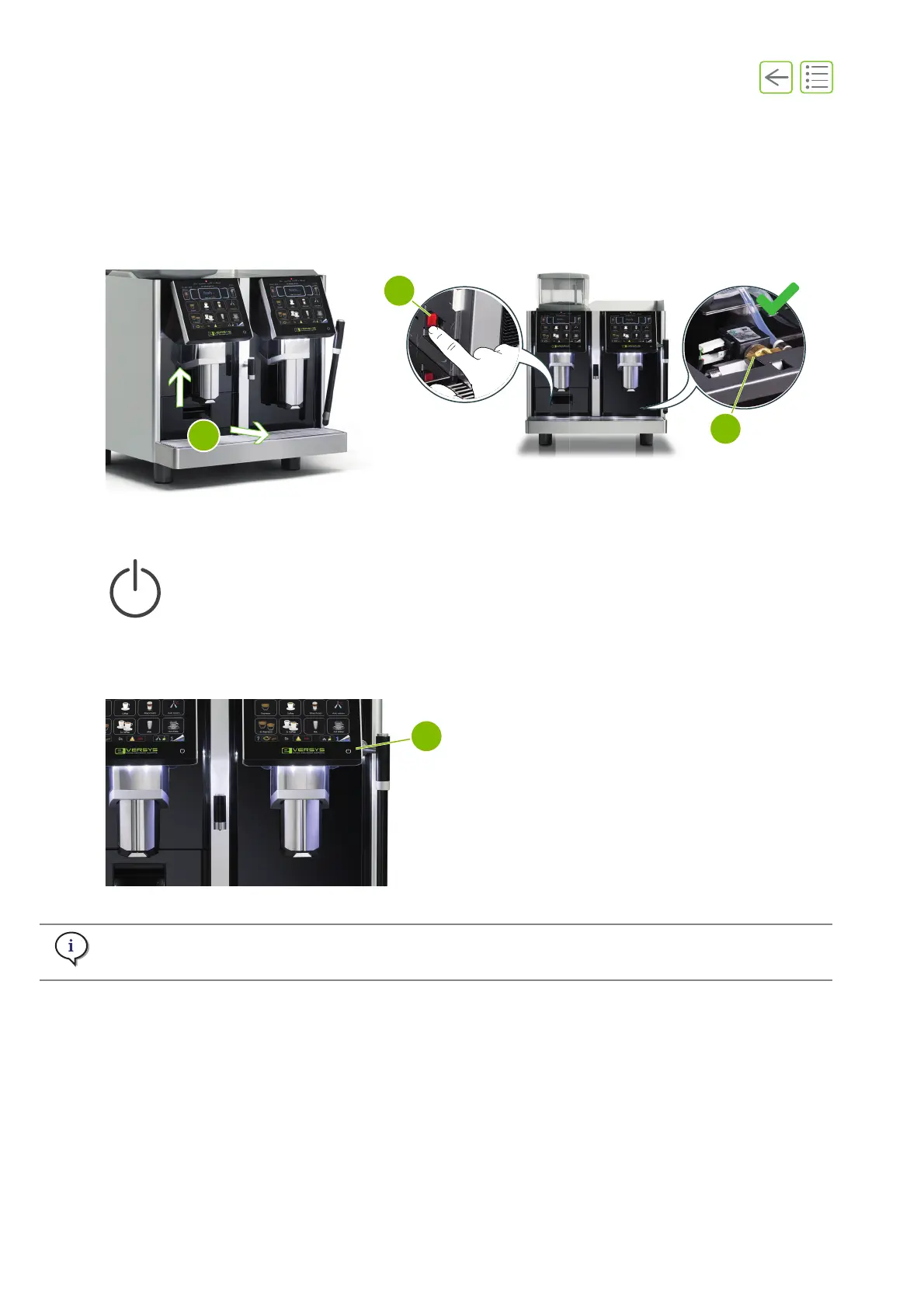
A. Move the coffee outlet all the up and remove the grounds drawer (3).
B. Start the machine at the main power (4), switch to «I» (ON).
C. Check that the main water inlet tap is open (5).
D. Replace the grounds drawer and push the drip tray back to its original position.
5.2.1 Standby (wake up)
A. If the is already switched on and in standby mode, press and hold (3s) the standby button (1) to power
up.
Fig. 5-1
Fig. 5-2
Standby mode switches off all the functions like heating the boiler, the touch screen and the front
lighting to save energy. It is possible to use this function to switch off, for instance overnight.










 To Next Page