(1) Product buttons (page 52) (4) Rinse button (page 59)
(2) Product stop button (page 66) (5) Footer strip (page 50)
(3) Header strip (page 50) or Top layer (page
50)
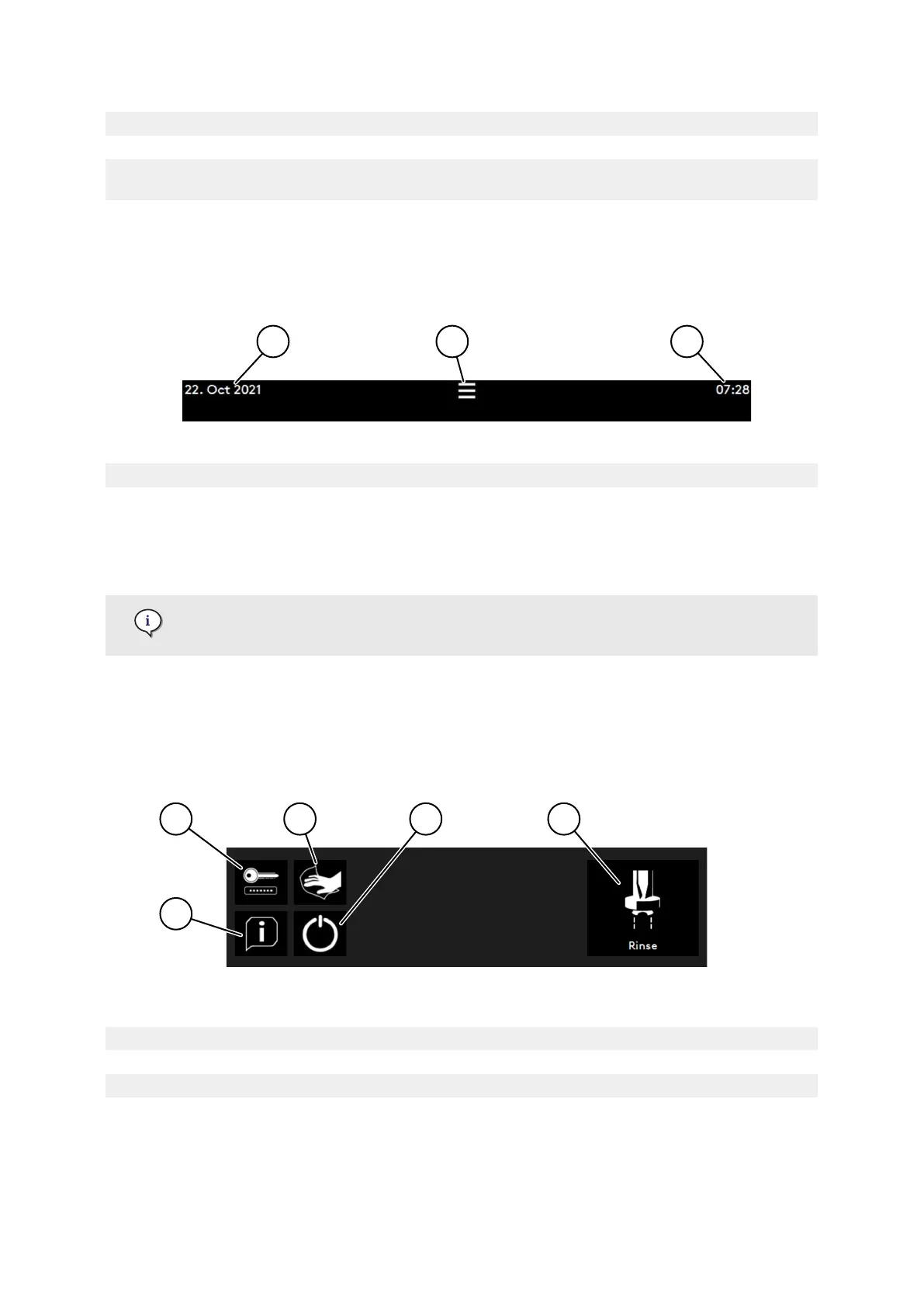
3.2.1. Header strip
The header strip is always visible except when the Rinse (page 59) top layer is displayed.
(1) Date (day, month and year) (3) Time
(2) Login access area
(long press to open, see Access to login
menu (page 70)) or press to open the Top
layer (page 50)
To change the language, time zone and date, please refer to Display menu (page
75).
3.2.2. Top layer
The top layer is not visible except when the login access area is pressed (refer to Header strip (page
50)).
(1) Info menu (4) Eco & Standby modes
(2) Login access area (page 70) (5) Rinse button (page 59)
(3) Clean the screen button (page 95)
3.2.3. Footer strip
The footer strip is always visible.
Software
© Eversys S.A. Page 50 of 172 02.01.2023



 To Next Page