EXE Bandwidth Limiting Script
Date Revised: Jan-12-16 Revision 1.0
EXE NCS-A Settings
EXE-NCS-A Network Configuration
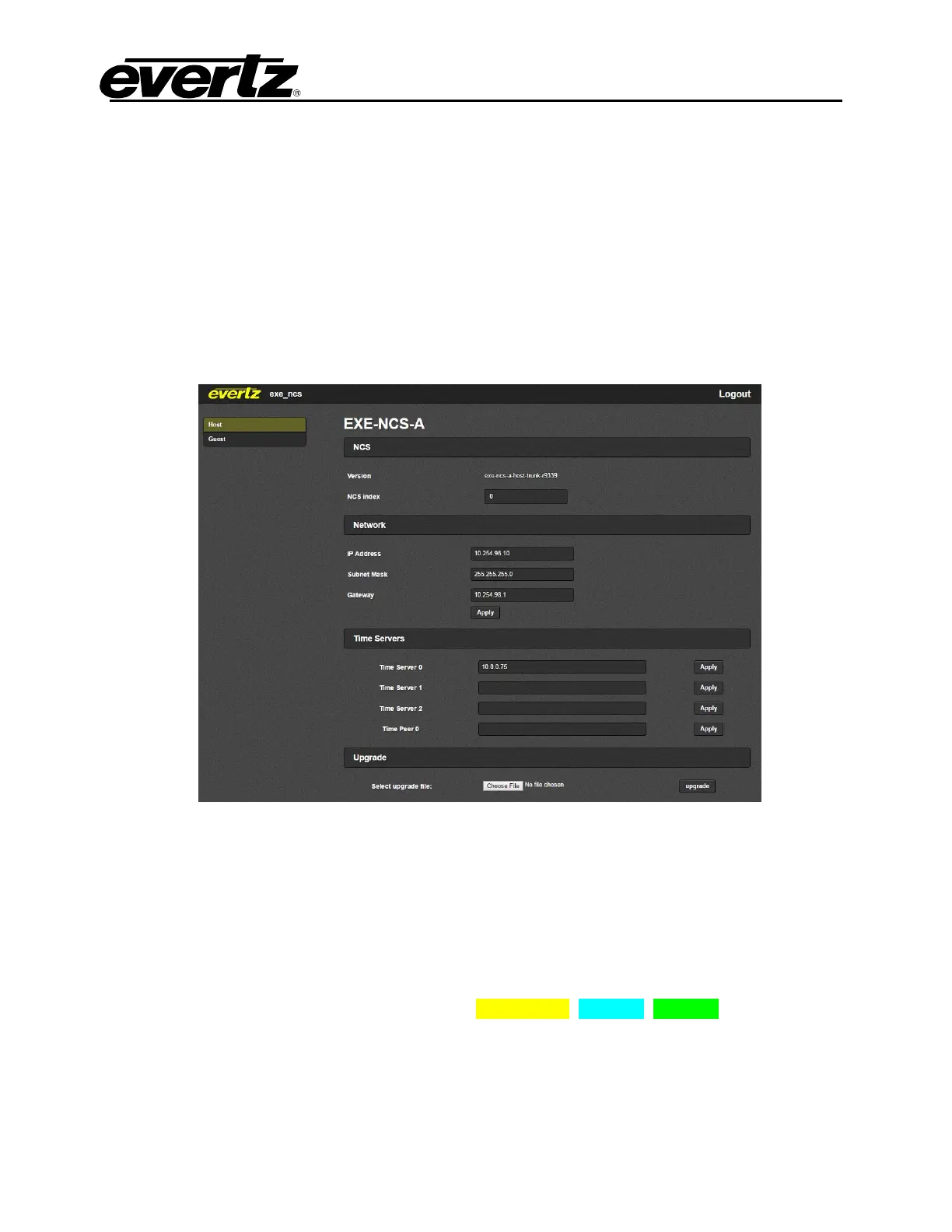
The EXE-NCS-A network can be set from either the Host webpage or command line interface. This
step is required if the customer wants to use a different IP address, Netmask or Gateway than the
pre-set settings.
1. To configure Host’s IP address from web interface:
a. Use web browser to open the Host webpage, in the address bar enter the preset host IP
address
b. Change IP Address, Subnet Mask and Gateway (if required) of the NCS Host.
c. Select the Apply button.
2. To configure Host’s IP address from command line:
a. Connect a monitor and keyboard to the NCS unit. Login to NCS Host with the username:
root, password: evertz.
b. Set the IP address, netmask and gateway with the command below; retry until no error
messages are returned (Most errors are due to typing mistakes):
netsetup --force config ip_address netmask gateway || echo
error



 To Next Page