EXE Bandwidth Limiting Script
Date Revised: Jan-12-16 Revision 1.0
Example:
NCS-0# netsetup --force config 172.16.227.51 255.255.0.0 172.16.1.1
|| echo error
c. Verify if the network is configured as expected using the following commands:
ifconfig | grep ip_address
ip route | grep default
Example:
NCS-0# ifconfig | grep 172.16.12.90
inet addr:172.16.12.90 Bcast:0.0.0.0 Mask:255.255.0.0
NCS-0# ip route | grep default
default via 172.16.227.1 dev breth0
Finally reboot the system for the changes to take effect; enter reboot in the NCS host terminal.
EXE-NCS-A host will automatically assign an IP address for the Guest by using the Host’s IP + 1.
For example: Host IP is 10.10.10.10 Guest IP will be 10.10.10.11
EXE-NCS-A Host
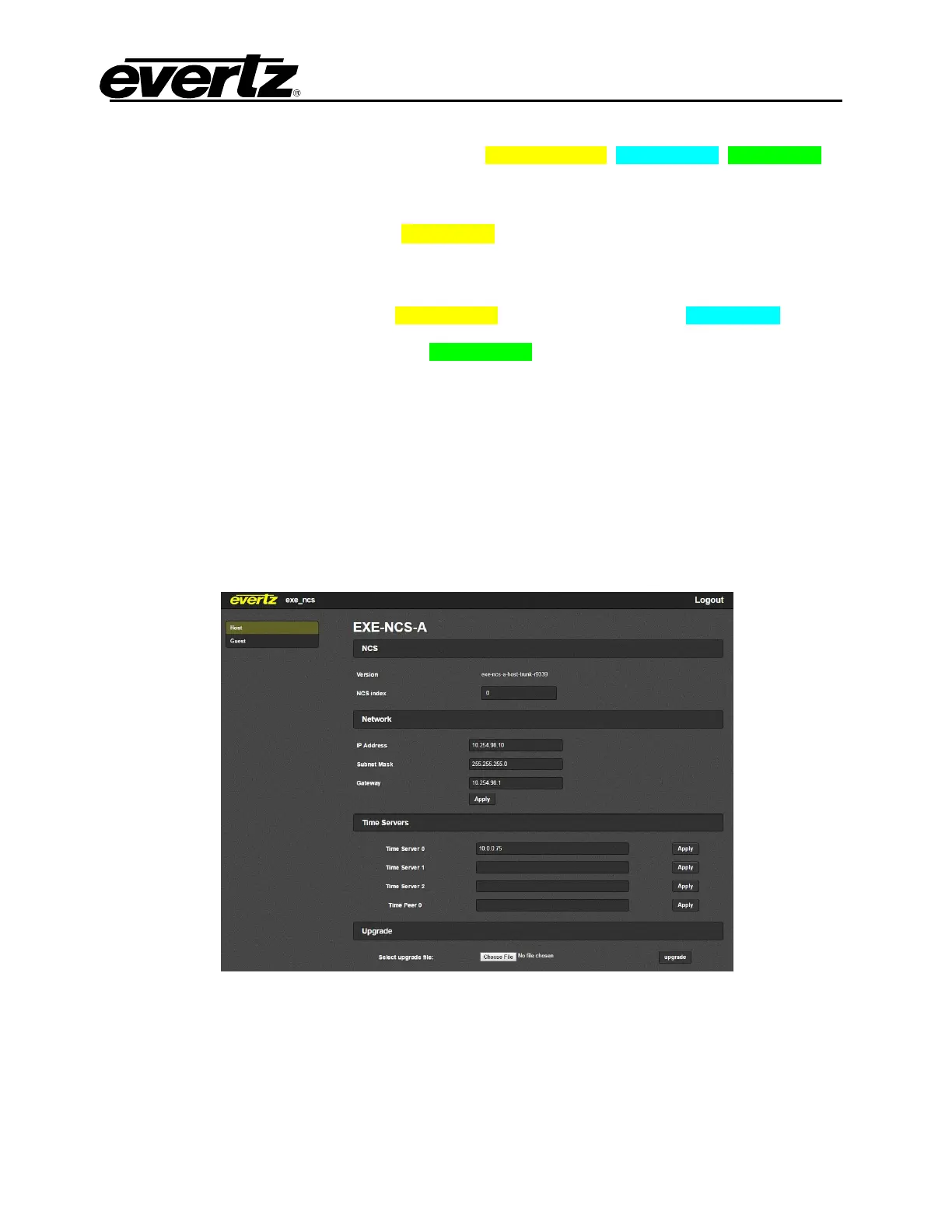
1. Login to the EXE-NCS host webpage with username root, password evertz. This will bring up the Host
page displaying the firmware version installed on the host and all host settings.
The parameters on this page are defined as:
a. Version: Displays the firmware version that is installed on the Host.
b. NCS Index: Displays the state of control for the NCS
o 0 : means the NCS is set up as main control.
o 1 : means the NCS is set up as redundant control.
*Note: The NCS’s cannot have same NCS Index.



 To Next Page