and “H” symbol will appear till pushed again. Back light
function, push this button for more than 3 seconds, for back
light,after 15 seconds,back light will turn off automatically.
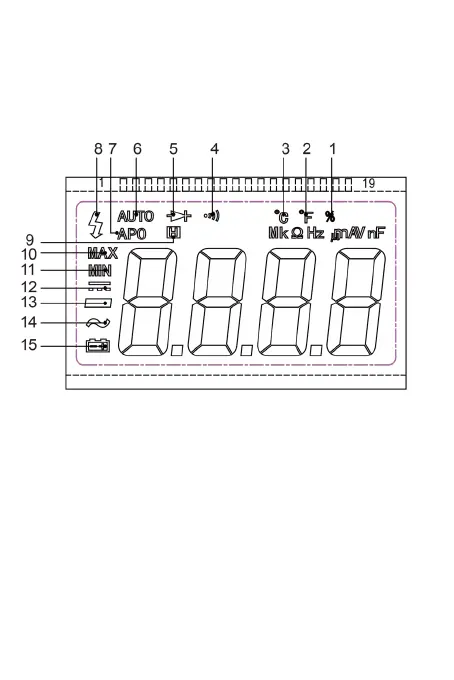
1.Duty Cycle is selected
2.Fahrenheit temperature test is selected
3.Celsius degree test is selected
4.Continuity test is selected
5.Diode test is selected
6.Autorange mode is selected
7.Automatic power-off mode is selected
8.High voltage wanning symbol
9.Data Hold is enabled
10.MAX - Maximum reading is being displayed
11.MIN - Minimum reading is being displayed
12.DC
13.Negative sign
-7-


 To Next Page