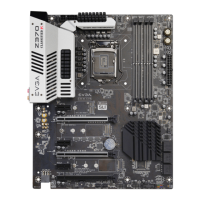
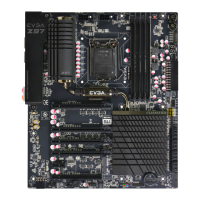
EVGA Z370 MICRO (121-KS-E375)
- 2 -
Table of Contents
User Guide ............................................................................................................... - 1 -
EVGA Z370 MICRO ................................................................................................. - 1 -
Specs and Initial Installation..................................................................................... - 1 -
Before You Begin… ................................................................................................. - 4 -
Parts NOT in the Kit ............................................................................................................. - 5 -
Intentions of the Kit .............................................................................................................. - 5 -
Motherboard ............................................................................................................. - 6 -
Motherboard Specifications .................................................................................................. - 6 -
Unpacking and Parts Descriptions ........................................................................... - 8 -
Intel
®
Z370 Micro Motherboard LED reference .................................................................. - 9 -
Intel
®
Z370 Micro Motherboard Component Legend......................................................... - 11 -
PCIe Slot Breakdown ......................................................................................................... - 21 -
M.2 Slot Breakdown ........................................................................................................... - 21 -
Preparing the Motherboard ................................................................................................. - 22 -
Installing the CPU .............................................................................................................. - 22 -
Installing the CPU Cooling Device .................................................................................... - 24 -
Installing System Memory (DIMMs) ................................................................................. - 25 -
Installing the I/O Shield ...................................................................................................... - 26 -
Installing the Motherboard...................................................................................... - 26 -
Securing the Motherboard into a System Case ................................................................... - 27 -
Installing M.2 devices ......................................................................................................... - 29 -
Tested CPU ......................................................................................................................... - 32 -
Tested Memory ................................................................................................................... - 32 -
Tested M.2 Key-M ............................................................................................................. - 33 -
Tested M.2 Key-E............................................................................................................... - 33 -



 To Next Page