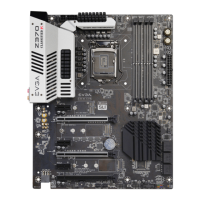
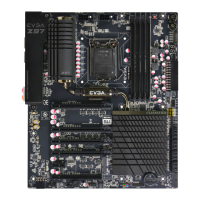
EVGA Z370 MICRO (121-KS-E375)
- 49 -
2. After reviewing your SSD’s instructions and its respective Physical installation
instructions above, power on the PC and enter the BIOS/UEFI by pressing the
F2 key repeatedly.
3. Once in BIOS/UEFI, navigate to the “BOOT” section. Then go down to the
“CSM Configuration” heading and press enter, or click on it with your mouse.
a. For Windows 10: Set “Launch Storage OpROM Policy” to “UEFI”.
Then set “Launch CSM” to “Disable”.
4. Press F10 to save and exit the BIOS/UEFI.
5. Press Del on reboot to reenter BIOS/UEFI.
a. If you are using an SSD-attached via PCIe, proceed to Step 6.
b. If you are using the motherboard’s M.2 slot, proceed to Step 8.
6. If you are using an SSD connected via PCIe (e.g. an Intel
®
750) or through an
adapter that connects an M.2 SSD to PCIe, go to “Advanced – PCIe
Configuration” and verify that the device shows on the slot you have it installed.
a. Verify the lane count and PCIe Generation. It should state “x4 Gen3”.
7. Next check the Dashboard on the upper right. The populated slot, lanes used,
and PCIe Generation should all match the information found in the previous
step.
a. Proceed to Step 9 when done.
8. If you are using an SSD connected to the motherboard’s M.2 slot, re-enter the
BIOS/UEFI and go to “Advanced – Onboard Device Configuration,” and set
“M.2 Socket3” to “Enable.”
9. Go to the “Boot” Section, set “Boot Mode Select” to UEFI, and set first boot
device to “Hard Disk:Windows Boot Manager”.
10. Press F10 to save and exit. Insert/Connect your Operating System install media
and reboot.
11. Begin the Windows installation. During the drive selection step, you may need
to load additional drivers that are provided by the SSD’s manufacturer, which
would be covered in the SSD manual. If these steps are not followed you will
likely be unable to install the Operating System to the SSD and make it bootable.



 To Next Page