EVGA Z370 MICRO (121-KS-E375)
- 71 -
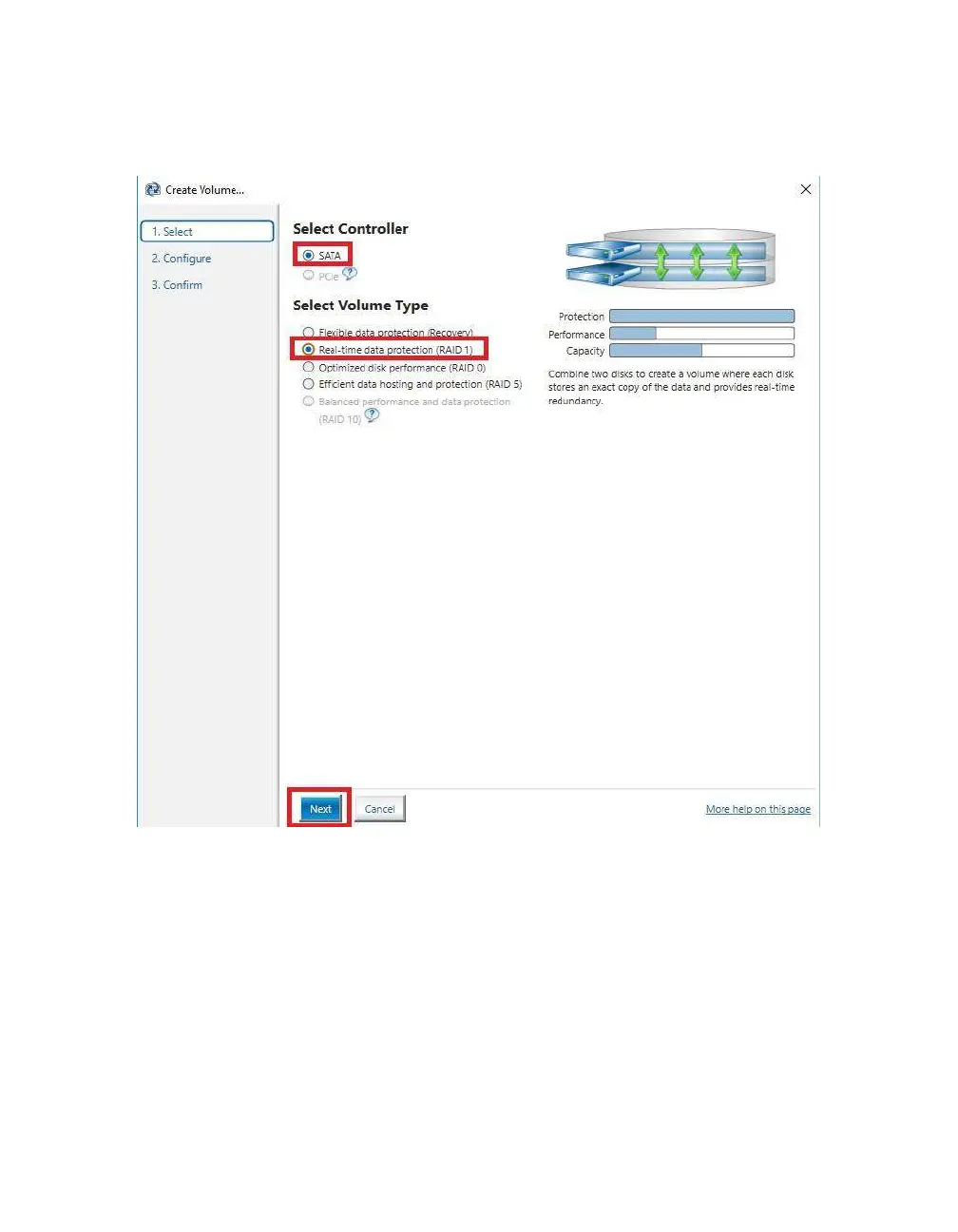
SATA will be selected by default. PCIe primarily refers to PCIe / M.2 based NVMe
drives; the same basic steps do apply to both, however. Select SATA, and “Real-time
protection (RAID1).” Then, click Next at the bottom of the window.
RAID1 can only support two (2) drives. Left-click the open boxes from the list below
to select your two preferred drives. You may also name the array anything you like.
Although you have the option to define volume size, it is recommended to leave the
array at 100%, which is the default.



 To Next Page