EVGA Z370 MICRO (121-KS-E375)
- 75 -
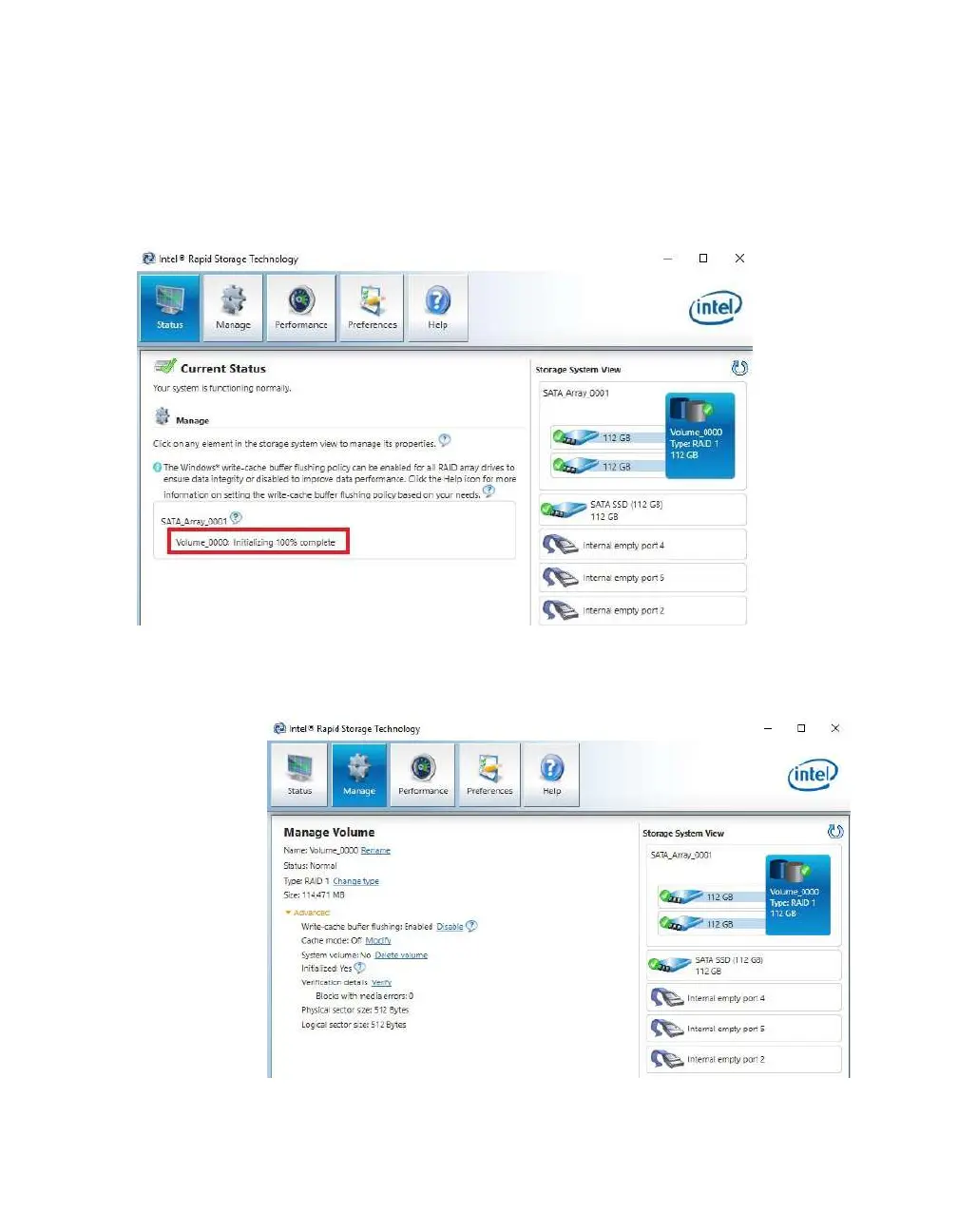
Once you click the OK button on the RAID creation window you will be brought back
to the main window, “Status” tab. If the option to initialize was selected, the
initialization status will be shown below, circled in red.
If you select the “Manage” tab, you can see a bit more in-depth information on the array
and additional options to manage or change the array.
Before the
drive can be
used,
however, the
drive must be
partitioned,
formatted,
and assigned
a drive letter.
Please see
Page 80 for
instructions.



 To Next Page